How Often Should You Clean Dust Out of Your Gaming PC?
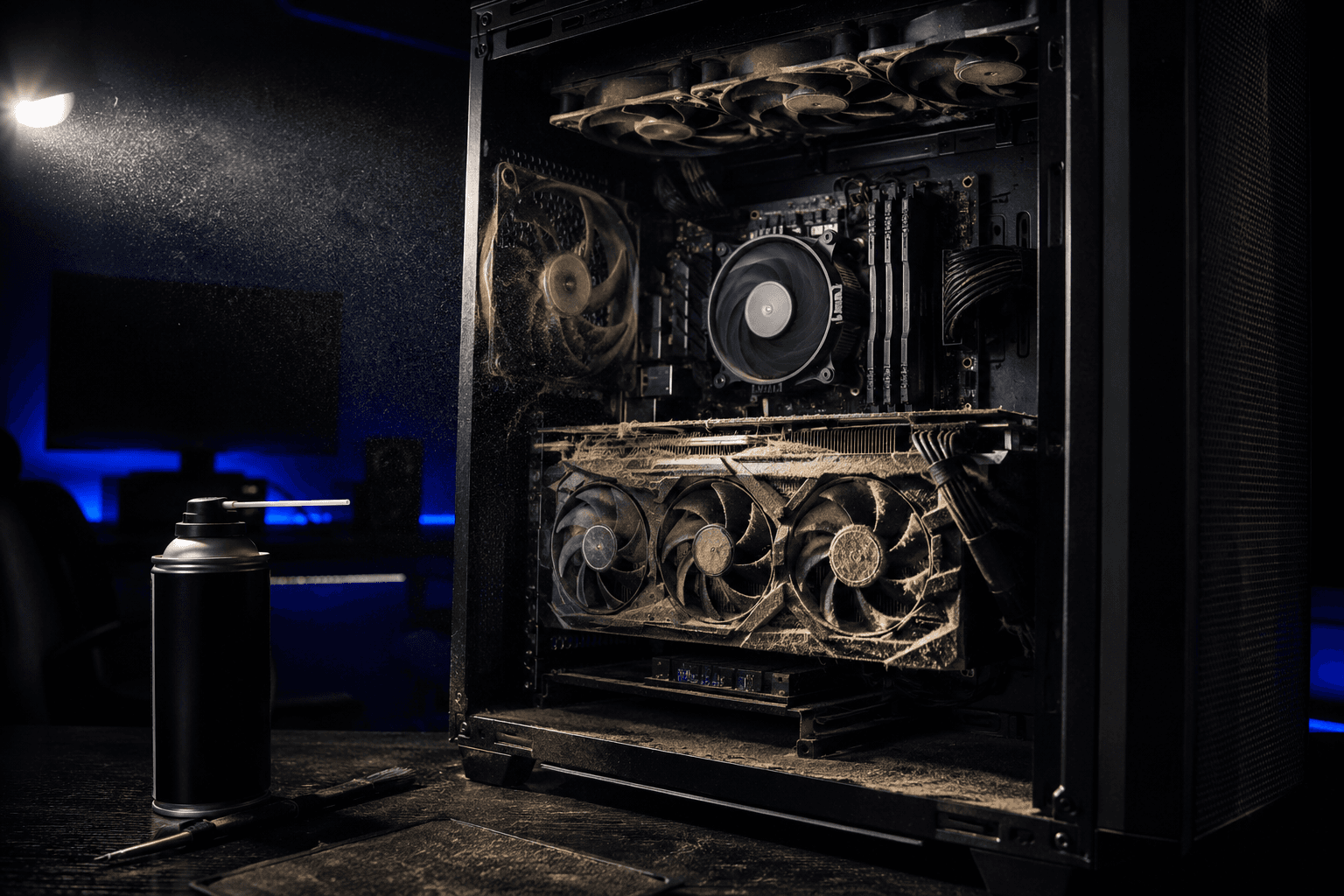
Every three to six months is the right answer for most gaming PCs in typical home environments. That cadence keeps dust at a level where it is not affecting thermals, fan performance, or airflow in any meaningful way. Push it past six months without cleaning and you will usually start seeing higher temperatures, louder fans, and in some cases genuine thermal throttling under load.
The honest answer is also that it depends. A PC sitting on a carpeted floor in a room with pets accumulates dust several times faster than a system on a hard desk surface in a clean room. If you have dogs or cats and carpet everywhere, you might need to clean every six weeks. If your setup is on a hard floor in a tidy room with no pets, you might get away with once a year without any real consequences.
Why Dust Matters More Than Most People Realise
Dust is an insulator. It sits on heatsinks, GPU coolers, fan blades, and case vents and traps heat rather than letting it dissipate. A GPU heatsink with a thick layer of dust on its fins cannot shed heat efficiently regardless of how good the cooler design is underneath. The fan tries to compensate by spinning faster, which is loud and still not as effective as the same cooler with clean fins.
The temperatures I have seen on systems that have gone two or three years without cleaning are genuinely alarming. CPUs sitting at 90 to 95 degrees under gaming load, GPUs hitting their thermal limits and throttling frame rates, and fans screaming at maximum speed just to keep things stable. Every single time, a proper clean brought those temperatures down by 15 to 25 degrees. Nothing else changed. Same thermal paste, same case, same coolers. Just clean hardware running the way it was designed to.
The other thing dust does over time is increase the load on fans. A fan blade caked in dust is unbalanced and creates more drag, which makes the motor work harder and wear faster. Fan bearings have a finite lifespan and running them at maximum speed continuously shortens it noticeably. It is one of the reasons fans in neglected systems fail more often than those in well-maintained ones.
How Environment Affects How Often You Need to Clean
Your environment is probably the biggest variable in how quickly dust builds up. A few specific factors that accelerate accumulation significantly:
Pets. Dog and cat hair is not just larger than regular dust; it mats together and blocks filters and fan vents faster than anything else. Homes with multiple pets and carpet floors can see intake vents fully blocked within two months. If you have pets, cleaning every six to eight weeks is not excessive.
Carpeted floors. Carpet generates and holds significantly more airborne particles than hard flooring. If your PC sits on or near carpet, it will pull in more dust through its intake fans than the same system on a hard floor would. Placing the PC on a hard surface even in a carpeted room helps.
Smoking. Smoking anywhere near a PC produces a sticky residue inside the case that combines with dust to form a dense, difficult-to-remove layer on everything. Systems I have cleaned that have been in smoking households require much more thorough work and often have residue that a compressed air can alone will not remove. Monthly cleaning is genuinely warranted if the PC is in a smoking environment.
Open cases. Running without a side panel reduces the static pressure the fans create inside the case and allows dust to settle directly onto components without passing through any filter. Contrary to what some people assume, open cases usually accumulate dust faster than closed ones with filters, not slower.
High-traffic areas. A PC in a living room sees more foot traffic and therefore more airborne particles than one in a dedicated bedroom. Similarly, a system near an open window is pulling in outdoor particulate alongside indoor air.
What to Clean and in What Order
Cleaning a gaming PC is not complicated but doing it in the right order matters. You want to push dust out of the system rather than further into it, and you want to avoid introducing moisture.
What you need:
✓ Compressed air can or electric air duster (the electric ones are much better value long-term)
✓ Soft anti-static brush for stubborn areas
✓ Microfibre cloth for external surfaces
✓ Isopropyl alcohol (90 percent or above) for cleaning contacts if needed
✓ A space where dust can blow freely, ideally outdoors or in a garage
The cleaning sequence:
✓ Power down completely and unplug from the wall. Not just switched off at the PSU. Fully disconnected.
✓ Take the case outside or to an open space. Blowing dust inside your room just redistributes it and immediately starts pulling it back in.
✓ Remove the side panels and any dust filters first. Wash mesh filters in lukewarm water, let them dry completely before reinstalling.
✓ Use compressed air in short bursts to blow dust off the GPU heatsink fins, working from the centre outward. Hold GPU fans still while blowing to avoid overspeeding them.
✓ Blow dust off the CPU cooler heatsink fins and fan blades. For AIO radiators, blow through the radiator fins in the direction opposite to normal airflow to push accumulated dust out cleanly.
✓ Blow out the case fans, PSU vent, and any front panel mesh.
✓ Use the brush gently on any areas where dust has matted and is not shifting with air alone.
✓ Wipe down the exterior panels with the microfibre cloth.
✓ Reinstall everything, reconnect, and boot normally.
The whole process takes fifteen to thirty minutes on a reasonably maintained system. A heavily neglected system takes longer and may require removing components to clean properly.
Should You Remove the CPU Cooler to Clean It?
For routine cleaning every three to six months, no. Compressed air through the fins while the cooler is installed is effective enough. Removing the cooler every time you clean is unnecessary and introduces the question of whether the existing thermal paste needs replacing each time you remount, which adds complexity to what should be a simple maintenance task.
Where removing the cooler makes sense is during an annual deep clean, particularly if the system is more than two years old, or if temperatures remain high after cleaning and you suspect the thermal paste has dried out or been applied poorly at the factory. At that point you are removing the cooler to clean it properly and reapplying paste anyway, which is worthwhile combined maintenance rather than separate tasks done twice. Understanding the air cooler vs AIO situation in your system matters here because the cleaning approach differs slightly: AIO radiators need special attention at the radiator fins, while air coolers need focus on the heatsink tower.
If your system is consistently running hot after a clean, that is the prompt to pull the cooler, clean the heatsink properly, and put fresh paste down. Temperatures that do not drop after cleaning usually mean the paste rather than the dust was the issue.
Dust Filters: Worth Having, Need Maintaining
Most mid-range and above cases come with dust filters on the intake points. They work well when maintained and become a liability when neglected. A clogged dust filter restricts airflow more than no filter at all. A system with blocked intake filters is starving its components of cool air while simultaneously blocking the dust it was supposed to catch.
Check your filters every month or two. If they look grey or clogged, wash them under cold running water, let them dry fully, and reinstall. This takes two minutes and has a significant effect on how much dust reaches the components inside. It also extends the interval between full internal cleans because less dust gets through.
The relationship between clean filters and good thermals is something I covered in more detail when looking at PC case airflow. The short version is that a well-filtered case with maintained filters runs significantly cooler than the same hardware in a case with blocked or missing filtration, and the difference can be ten degrees or more under sustained gaming load.
Signs Your PC Needs Cleaning Right Now
If you have not cleaned in a while and are wondering whether it is worth doing, these are the tells that say yes, do it now:
✓ Fans are noticeably louder than they used to be, particularly under gaming load when they ramp up
✓ Temperatures in MSI Afterburner, HWiNFO, or similar are higher than they were when the system was new, particularly GPU junction temp or CPU package temp
✓ Frame rates are noticeably worse in games that used to run fine, especially when the GPU and CPU temps look suspicious at the same time
✓ The system is producing more heat than usual from vents, noticeable as warm air on your face or desk
✓ Visible dust on the fan blades or vents through the side panel or mesh
Any one of these is enough reason to clean. All of them together means you are overdue by a significant margin. Getting into the habit of cleaning before these symptoms appear is much better than cleaning in response to them, because by the time fans are screaming the dust has usually been causing gradual thermal damage for months.
GPU Cleaning: The Most Important Part
The GPU is usually the component that benefits most from cleaning in a gaming PC, and also the one that accumulates the most dust due to its large surface area and the volume of air its fans move. A GPU with clean fins and blades runs cooler, boosts to its maximum frequencies more consistently, and sounds significantly quieter under load.
GPU cooler designs vary. Most use a shroud with two or three fans blowing air through heatsink fins and exhausting it through the case. Compressed air through the top of the shroud in short bursts, working across the full width of the card, clears the fins well. Holding the fans still while doing this is important because spinning GPU fans with compressed air can overspeed them in a way their bearings are not designed to handle.
If the GPU still runs hot after cleaning and you know it has been a while since it was serviced, replacing the thermal paste and thermal pads is an option. This is a more involved process than cleaning and not something to do without some confidence in handling components, but the thermal improvement on older GPUs that have dried-out paste can be dramatic. Fifteen to twenty degree reductions in GPU temperature after repasting an older card are not unusual.
Cleaning Schedule by Environment
Rather than leaving this vague, here is a practical schedule based on the conditions most people actually deal with:
✓ No pets, hard floors, tidy room: Clean every six months. Check filters monthly.
✓ One or two pets, mixed flooring: Clean every three months. Check filters every three to four weeks.
✓ Multiple pets or all carpet: Clean every six to eight weeks. Check filters every two weeks.
✓ Smoking environment: Clean every four to six weeks. Expect to use isopropyl alcohol for residue.
✓ Near an open window or in a high-traffic area: Clean every three to four months. Check filters monthly.
These are starting points rather than fixed rules. The actual rate at which your specific system accumulates dust is visible from the filters. Once you know how quickly your filters clog in your environment, you have a much better basis for your cleaning interval than any generic recommendation.
Putting It Alongside Other PC Maintenance
Dust cleaning is one part of a broader maintenance picture for a gaming PC. Thermal paste degrades over time. Fans wear out. If you are installing a CPU cooler or remounting one as part of a deeper service, that is the right time to combine cleaning with paste replacement rather than treating them as entirely separate tasks.
Hardware maintenance and software maintenance both matter for a PC that performs consistently over time. Keeping the software side of a gaming setup organised, from platform accounts to key management, is part of the same ownership mindset. Our overview of the PC gaming software side of things covers the digital setup that sits alongside the hardware, which is useful context if you are putting together a complete maintenance routine for a system you plan to keep running well for several years.
Frequently Asked Questions
How often should you clean your gaming PC?
Every three to six months for most home environments. More frequently if you have pets, carpet, or a smoky environment. Less frequently if your setup is on a hard floor in a clean, well-ventilated room with no pets.
What happens if you never clean your PC?
Dust accumulates on heatsinks and fan blades, blocking heat dissipation and increasing fan noise. Over time this leads to higher operating temperatures, reduced performance through thermal throttling, and accelerated fan wear. Systems that go years without cleaning typically run 15 to 25 degrees hotter than they should.
Can dust damage a gaming PC?
Yes, over time. Sustained high temperatures caused by dust buildup reduce component lifespan, particularly for GPUs and CPUs. Fans in neglected systems also fail earlier due to running at maximum speed continuously under increased thermal load.
What is the best way to clean a gaming PC?
Compressed air or an electric air duster used in short bursts with the case outside or in a well-ventilated space. Work through GPU fins, CPU cooler heatsink, case fans, and PSU vent. Wash dust filters separately under water and allow to dry completely before reinstalling.
Should I use a vacuum cleaner to clean my PC?
No. Vacuum cleaners generate static electricity that can damage components. They also cannot get into fin arrays and tight spaces effectively. Compressed air or an electric air duster is the correct tool for internal cleaning.
Do I need to remove components to clean my PC?
Not for routine cleaning. Compressed air reaches most areas with the components in place. For a deep annual clean or if temperatures remain high after a standard clean, removing the CPU cooler to clean and repaste is worthwhile.
How do I know if my PC needs cleaning?
Louder fans than usual, higher temperatures than normal, reduced frame rates in games that previously ran well, and visible dust on fan blades or vents are all clear indicators. If any of these are present, clean the system promptly.
Final Thought
Dust cleaning is the most neglected maintenance task on gaming PCs and one of the highest-return ones relative to time spent. Fifteen minutes every three to six months keeps thermals consistent, fans quieter, and components running within their designed parameters. The people who never clean their systems and then wonder why temperatures have crept up by twenty degrees over two years are solving a problem that should never have developed. Get into a rhythm with it and your hardware will last longer and perform better for the entire time you own it.