Does case airflow actually matter for gaming PC temps?
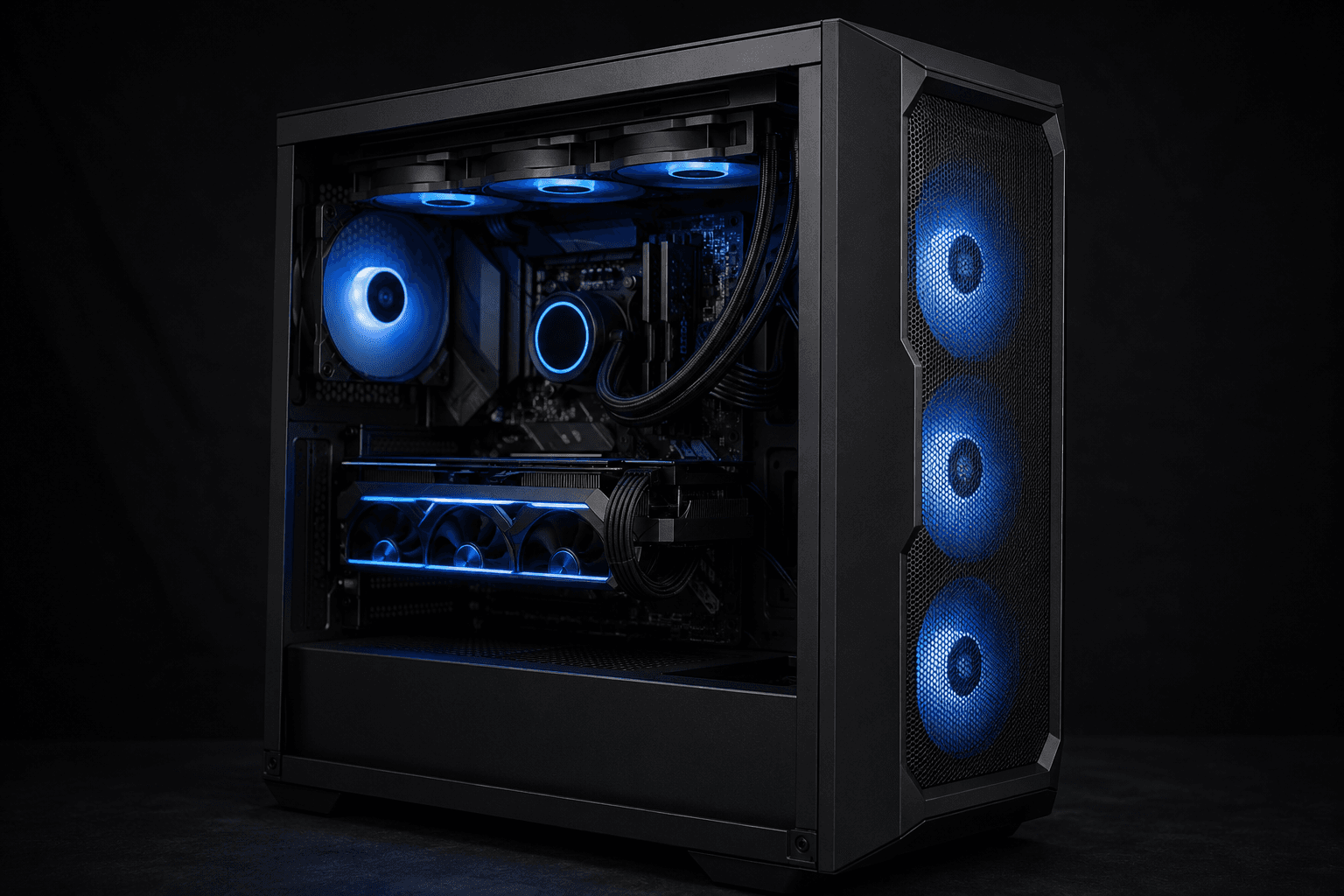
Yes, case airflow matters — and more than most people expect. A well-configured airflow setup can keep your GPU and CPU running 10–20°C cooler compared to a poorly ventilated case with the same hardware. That gap is large enough to affect gaming performance, system stability, and how long your components last. It's one of those areas where getting it right costs almost nothing extra, but getting it wrong can quietly throttle an otherwise capable gaming rig.
Why Airflow Has Such a Big Impact on Temperatures
Your components generate heat constantly while under load. The GPU is usually the biggest culprit in a gaming build, followed by the CPU. Both rely on the air inside your case being cool enough to absorb that heat and carry it out. If the air inside the case is already warm — because it has nowhere to go — your coolers are essentially fighting a losing battle. They're pushing hot air across components that are already sitting in a hot environment.
This is why two systems with identical hardware can run at very different temperatures depending on the case and fan configuration. A GPU that sits comfortably at 72°C in a well-ventilated build might hit 85°C or higher in a cramped, poorly ventilated one. That extra heat isn't harmless — it forces the GPU to run its fans harder, increases noise, and over time contributes to thermal wear on components.
Positive vs Negative Pressure: What the Terms Actually Mean
These phrases get thrown around a lot, and they're worth understanding because they directly influence how dust and temperatures behave in your system.
Positive pressure means more air is being pushed into the case than is being pulled out. The excess air finds its own exits through gaps and vents, which helps keep dust out because air is pushing outward rather than drawing it in through unfiltered gaps.
Negative pressure is the opposite — more air being exhausted than brought in. The case draws air in through every gap it can find, which means unfiltered air and dust come in through spots you probably didn't account for.
Neutral pressure is roughly balanced intake and exhaust. Most experienced builders aim for slightly positive pressure with filtered intakes, which gives you the temperature benefits of good airflow while reducing dust buildup.
One mistake I see regularly is people loading up the front and top of the case with exhaust fans without matching intake. The case ends up running negative pressure, pulling in dusty air through the gaps at the back, bottom, and any unfiltered openings. Temperatures don't always look terrible immediately, but the dust accumulation over a few months can make things progressively worse.
Front, Bottom, Top, and Rear: Where Fans Should Go
The most effective airflow configurations follow a simple logic: cool air in from the front and bottom, hot air out from the top and rear. Hot air rises naturally, so this setup works with physics rather than against it.
Front intake is where most of the cooling work happens. Two or three 120mm or 140mm fans pulling cool air across the GPU and CPU is the foundation of good airflow. Cases with mesh fronts make this much more effective — solid panels with decorative vents restrict airflow significantly more than most people realise.
Bottom intake is useful if your case supports it, particularly for PSU cooling and drawing cool air upward through the system.
Rear exhaust — typically a single 120mm fan — removes hot air that has passed through the system. This is almost always a single dedicated exhaust position in most mid-tower cases.
Top exhaust removes rising hot air efficiently. One or two fans here, oriented to exhaust rather than intake, helps clear heat from the CPU and VRM area quickly.
The common mistake is treating the top as intake. Cold air doesn't naturally want to sit at the top of a warm enclosure, so pulling air down from the top to cool components below is fighting thermodynamics. Unless you're doing a very specific cooling configuration with an AIO radiator at the top and you've thought through the airflow path, exhaust from the top is almost always the better choice.
Does the Case Itself Make a Difference?
Yes, significantly. The case design determines how much air can physically move through the system, regardless of how many fans you install.
Mesh-front cases — like those from Fractal Design, Lian Li, or be quiet! — allow far more airflow than tempered glass front panels or solid steel fronts with small decorative cutouts. I've seen systems moved from a restrictive glass-front case to a mesh-front alternative and drop 8–12°C on GPU load without changing a single fan. The fans were identical. The difference was purely the case design allowing air in.
If you're building or upgrading and temperatures are a concern, the case choice is as important as the cooler choice. A high-end CPU cooler in a poorly ventilated case can still produce worse results than a mid-range cooler in a well-ventilated one.
Radiator clearance also matters. If you're planning an AIO liquid cooler, make sure the case supports the radiator size you need and that the mounting position makes sense for your intended airflow direction. Mounting a 240mm radiator as intake at the front while also having multiple exhaust fans at the top can sometimes conflict — the specific configuration matters.
How Many Case Fans Do You Actually Need?
More fans don't automatically mean better results. What matters is configuration and quality of airflow, not raw quantity.
For most mid-range gaming builds, a practical setup looks like this:
→ 2–3 x 120mm or 140mm front intake fans
→ 1 x 120mm rear exhaust fan
→ 1–2 x 120mm or 140mm top exhaust fans (optional but beneficial)
That's typically three to six fans total, which is enough to maintain good pressure balance and move adequate air across your components. Beyond that, you're usually chasing marginal gains that won't be visible in temperatures or game performance.
Larger, slower fans generally outperform smaller, faster fans for case airflow. A 140mm fan spinning at 900 RPM moves more air with less noise than a 120mm fan spinning at 1200 RPM to achieve the same flow rate. If noise is a concern — which it usually is for most people — prioritising 140mm fans where the case supports them is worth considering.
Airflow and GPU Temperatures Specifically
The GPU deserves its own mention because it's often the component most affected by poor case airflow. Most graphics cards use a blower style or open-air cooler design. Open-air coolers — which are far more common in modern GPUs — exhaust heat into the case rather than directly out of the back. This means they depend entirely on the surrounding case air being cool enough to absorb that heat effectively.
If the air inside your case is sitting at 40°C because it's not being refreshed quickly enough, your GPU fans are spinning to push 40°C air across the heatsink. The result is that the GPU runs hotter than it should, fans spin faster to compensate, noise increases, and performance can dip slightly due to thermal management reducing clock speeds under sustained load.
Good front intake airflow — particularly with a mesh front panel — directly cools the area around the GPU and gives the open-air cooler fresh, cool air to work with. This is one of the most straightforward ways to improve GPU temperatures without spending anything on the card itself. For a deeper look at how GPU specifications affect what you can actually do with them, the graphics card guide for 1440p gaming covers the performance side in more detail.
Common Airflow Mistakes Worth Avoiding
These are the errors that come up most often and that are entirely preventable:
✓ Forgetting to remove case fan filters before installation — some cases ship with filters taped or attached; leaving them blocked defeats the point
✓ Installing fans in the wrong direction — fans have an arrow indicating airflow direction; fitting intake fans backwards turns them into exhaust fans and ruins the configuration
✓ Blocking the front intake with cables or drives — internal cable routing in front of mesh panels reduces airflow noticeably
✓ Not cleaning dust filters regularly — clogged filters restrict airflow progressively; most cases with mesh fronts have magnetic or removable filters that should be cleaned every few months
✓ Ignoring the side panel gap — some cases have a gap between the front mesh and the side panel; if fans are mounted on the side rather than at the front, check whether airflow is actually entering through the mesh or just being recirculated internally
Does Cable Management Affect Airflow?
Yes, but probably less than content online suggests. Poor cable management inside the main chamber can obstruct airflow paths and create turbulence, but the effect is typically a few degrees rather than dramatic. The more significant impact of messy cables is on visual appearance and ease of future upgrades.
That said, routing cables behind the motherboard tray — which most modern mid-towers support — keeps the main chamber cleaner and removes one variable from your airflow equation. It's worth doing for general tidiness regardless.
Frequently Asked Questions
Does case airflow affect GPU performance?
Yes. Poor airflow raises GPU temperatures, which can cause thermal throttling — where the card reduces its clock speed to stay within safe limits. This results in slightly lower frame rates during extended gaming sessions, particularly in demanding titles.
How much does case airflow actually lower temperatures?
The difference between a well-configured mesh-front case and a poorly ventilated glass-front case with the same hardware can be 10–20°C on GPU and CPU temperatures under load. This is a meaningful difference for both performance and component longevity.
Is positive or negative pressure better for a gaming PC?
Slightly positive pressure is generally recommended. It keeps temperatures low while reducing dust ingress through unfiltered gaps. Balanced pressure is also acceptable. Strong negative pressure tends to accumulate dust faster and doesn't offer meaningful temperature benefits.
Does an open case lower temperatures?
Temporarily, yes — removing the side panel eliminates the enclosed hot air issue. But it's not a practical solution because it introduces dust rapidly and removes the structured airflow path that fans create. If removing the panel makes a dramatic difference, it usually indicates that the closed-case airflow configuration needs reviewing.
How often should I clean my case fans and filters?
Every two to three months for most environments. If you have pets or the PC is near carpet, more frequently. Dust buildup on filters restricts airflow progressively and is one of the most common reasons temperatures gradually worsen over time in an otherwise unchanged system.
Will more case fans always lower temperatures?
Not necessarily. Adding fans to an already balanced setup can increase noise without reducing temperatures. The configuration and direction of fans matters more than quantity. Fixing a poor intake-to-exhaust ratio will always do more than adding a fifth exhaust fan to an already exhaust-heavy system.
Can a bad case ruin good components?
Not directly, but sustained high temperatures accelerate wear on thermal paste, capacitors, and VRMs. Running consistently at 85–90°C rather than 70–75°C over years of use does reduce component lifespan. It's not catastrophic in the short term, but it's a factor worth taking seriously.
Case airflow is one of those areas where the effort-to-reward ratio is excellent. A few well-placed fans in a mesh-front case costs relatively little but can make a genuine difference to how your system performs and how long it lasts. The physics are simple: get cool air in, push hot air out, and give your components something worth working with.