What to Look for When Buying a Prebuilt Gaming PC UK
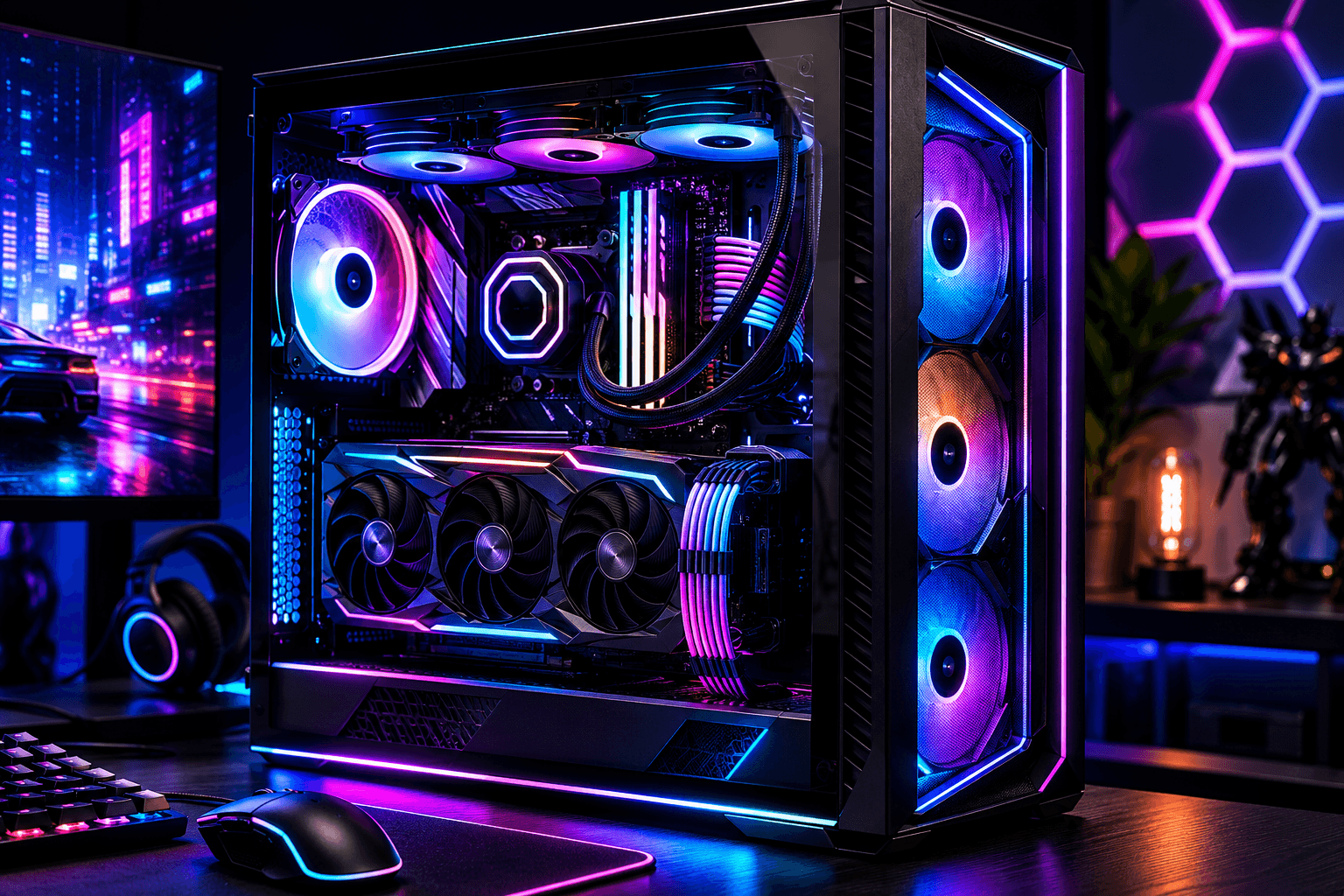
Buying a prebuilt gaming PC in the UK sounds straightforward until you realise how many of them are dressed up with flashy cases and mediocre internals. The market has improved over the last couple of years, but there are still plenty of systems out there that look impressive in a product listing and disappoint the moment you start gaming at a resolution they can't actually handle.
When buying a prebuilt gaming PC, the most important things to check are the GPU model and its VRAM, the CPU generation and socket compatibility, how much RAM is installed and whether it runs at its rated speed, the storage type and capacity, the PSU wattage and whether it's from a reputable brand, and crucially — the warranty terms and upgrade headroom. Getting those details right before you spend will save you a lot of frustration later.
The rest of this guide covers each of those areas in detail, with a few warnings about things that trip people up regularly.
The GPU Is the Most Important Part — So Look at It Properly
If you remember nothing else from this article, remember this: the graphics card determines what resolution and frame rates you can actually achieve. Everything else is secondary. A system with an RTX 4070 and a mid-range CPU will outperform a system with a flagship CPU and a weak GPU in almost every game, every time.
The problem with a lot of prebuilts is that manufacturers use the GPU as a marketing hook while cutting costs elsewhere. You'll see a system listed as featuring an NVIDIA RTX 4060 and assume it's a solid deal — until you check the RAM, find it's running at base frequency and not XMP speed, and discover the storage is a SATA SSD rather than NVMe. The GPU might be legitimate, but everything around it has been spec'd down to hit a price point.
When evaluating the graphics card in any prebuilt, pay attention to:
→ The exact GPU model — not just the series. RTX 4060 and RTX 4060 Ti are very different cards. The same is true across AMD Radeon RX ranges.
→ VRAM capacity — 8GB is workable at 1080p for now, but 12GB or 16GB gives you much more longevity, especially at 1440p.
→ Whether it's a Founders Edition, AIB partner card, or a custom board design — some prebuilt manufacturers use stripped-down GPU versions with smaller heatsinks and lower power limits. This matters for sustained performance.
If you're planning to play at 1440p, it's worth reading up on what graphics card you actually need for 1440p gaming before committing to any system. The minimum bar is higher than most people assume.
Check the CPU and Think About Upgrade Compatibility
The CPU matters less than the GPU for gaming, but it still matters — and there's a secondary consideration that most buyers miss entirely: what socket the motherboard uses.
If you're buying a prebuilt with an AMD Ryzen 7000 series chip, that board will be on AM5. AM5 is expected to remain relevant through the next generation of Ryzen processors, which means upgrading your CPU later remains viable. If the system is on an older AM4 platform, the processor options for a future upgrade are essentially exhausted — the platform is mature and AMD has moved on.
On the Intel side, the picture is more complicated. Intel has changed socket standards several times in recent years, and not all LGA sockets carry forward. Before buying, check what CPU is installed, what socket the board uses, and whether meaningful upgrade options exist within that platform.
One pattern I see regularly in cheaper prebuilts: a current-generation case with last-generation silicon inside. The listing looks modern, the price looks right, but you're actually buying older tech dressed up in new packaging. Always check the specific CPU model rather than just the brand name or family.
For a broader look at how Intel and AMD compare for gaming right now, our article on Intel Core Ultra vs AMD Ryzen for gaming covers the current generation in detail.
RAM — Speed Matters as Much as Capacity
Most prebuilts these days ship with 16GB of RAM, which is enough for the majority of games. But there's a trap that catches a lot of buyers: RAM that's installed at its base speed rather than its rated XMP or EXPO frequency.
A kit listed as DDR5-6000MHz that hasn't had XMP enabled in the BIOS is running at DDR5-4800MHz or 4400MHz by default. You're paying for a faster kit but not getting the performance. This is surprisingly common in prebuilts, particularly at the budget and mid-range price points. Manufacturers install high-rated kits because it looks good in the spec sheet, but don't bother enabling the profile in the BIOS.
Before buying, check whether the retailer or manufacturer confirms XMP or EXPO is enabled. If you're buying in person or from a retailer you can contact, ask. If you're buying online and can't verify, plan to check this yourself the moment the system arrives — it's a BIOS toggle and takes about 90 seconds to fix, but it's the kind of thing that catches people out.
Capacity-wise, 16GB is fine for gaming in 2026. 32GB is worth having if you're also doing video editing, streaming while gaming, or running memory-heavy workloads alongside games.
Storage — Know What You're Actually Getting
The difference between NVMe SSD and SATA SSD is significant in terms of read and write speeds, though for gaming the real-world impact is mostly load times rather than in-game performance. That said, a proper PCIe Gen 4 NVMe drive makes a noticeable difference when loading into large open-world titles.
What you want to avoid is a prebuilt that ships with a small boot drive and no secondary storage. Some systems arrive with a 256GB or 512GB NVMe drive as the primary, which fills up embarrassingly fast once you've installed Windows, a handful of AAA titles, and a few essentials. Make sure the storage capacity matches your actual library size — or at least that there's a free M.2 slot or SATA bay to expand later.
A few prebuilts in the budget range still include HDDs as secondary storage. That's not a deal-breaker for mass storage, but your operating system and games should always be on an SSD.
The PSU Is the Component Most Likely to Be Skimped On
This is where prebuilt manufacturers regularly cut corners in ways that aren't immediately obvious from a listing. A system with a solid GPU and decent CPU can still be let down by a cheap, underpowered, unbranded power supply — and the consequences of a failing PSU can go well beyond the PSU itself.
What to look for:
✓ Wattage that suits the components — an RTX 4070 system should have at least a 650W PSU. RTX 4080 or RX 7900 XT builds need 750W or more with comfortable headroom.
✓ An 80+ Bronze or better efficiency rating — anything below this is worth questioning.
✓ A recognisable brand — Corsair, Seasonic, be quiet!, EVGA, and Fractal are consistently reliable. Unknown Chinese OEM units with no certification are a red flag regardless of the wattage claim.
✓ Whether the wattage leaves room for upgrades — if you're planning to upgrade the GPU later, a PSU with no headroom is going to become a problem.
We've covered this in more detail in the article on how much PSU wattage you actually need, which is worth reading before finalising any build or prebuilt purchase.
Upgrade Headroom — Can You Actually Improve This System Later?
One question that rarely gets asked at the point of purchase is whether a prebuilt can be meaningfully upgraded. As we covered in our guide on upgrading parts in a prebuilt gaming PC, the answer depends heavily on the specific system.
The main things to check:
✓ Available RAM slots — a system with two slots and both filled with 16GB sticks has hit its ceiling. One with four slots and two populated leaves room to expand.
✓ Free M.2 slots — at least one free M.2 slot for storage expansion is worth checking.
✓ PSU wattage vs future GPU requirements — if the PSU is already near its limit, adding a more powerful GPU later means replacing the PSU too.
✓ Case size and GPU clearance — some small-form-factor prebuilts use low-profile GPUs or cases too compact to fit a larger card.
✓ Proprietary connectors — a minority of prebuilts, particularly from certain large OEM brands, use non-standard connectors or motherboard form factors that limit what you can swap in later.
The brands that tend to be most upgrade-friendly are those using standard ATX motherboards, standard PSUs with modular or accessible cables, and mid-tower cases with normal GPU clearance. Smaller and more aesthetically unusual cases often sacrifice flexibility for looks.
Warranty and After-Sales Support in the UK
This is something British buyers have more protection on than many realise. Under UK consumer law, goods must be of satisfactory quality and fit for purpose. But the manufacturer or retailer warranty is still important because it defines your practical experience if something goes wrong.
What to check:
✓ Warranty length — one year is standard, but some builders offer two or three year coverage. That extra year makes a real difference for peace of mind.
✓ What the warranty covers — does it cover parts only, or labour too? If a GPU fails, do you need to ship the whole system back or just the component?
✓ Who handles the warranty — is it the retailer, a UK-based service team, or are you being directed to a manufacturer in another country? UK-based support is significantly quicker.
✓ Onsite vs return-to-base — some business-grade warranties include onsite repair. Consumer warranties rarely do, but return-to-base turnaround times vary enormously between retailers.
If you're buying from a smaller specialist builder based in the UK, it's often worth checking whether they have a physical location you can visit. For repairs or warranty claims, being able to walk a system in rather than package it up and post it makes a meaningful difference.
Red Flags to Watch Out For in Prebuilt Listings
A few things consistently appear in prebuilts that aren't worth the money:
✓ RGB-heavy marketing with vague spec descriptions — if the listing spends more time describing the lighting than the GPU model, check carefully.
✓ Unbranded or unnamed PSUs — if the PSU brand isn't mentioned, assume it's a cheap unit.
✓ Bundled peripherals used to inflate perceived value — a "free" keyboard and mouse bundled with a system is usually worth less than £20 at wholesale. It doesn't offset a weaker component choice.
✓ Specs listed without model numbers — "GTX-level graphics" or "next-gen processor" without a specific model number is a sign to look elsewhere.
✓ RAM listed at full XMP speed without confirmation it's enabled — this one catches people regularly.
✓ Warranty that's shorter than 12 months — walk away.
What to Actually Prioritise at Each Budget
Getting the balance right between components is where a lot of buyers go wrong. The temptation is to buy the system with the most impressive-sounding spec sheet, but that doesn't always translate to the best gaming experience.
At £600–£800, prioritise the GPU above everything else. An RTX 4060 or RX 7600 XT with 16GB of RAM and a 1TB NVMe is a better buy than a system with a weaker GPU and a flashier case.
At £900–£1,200, you should be expecting an RTX 4070 or RX 7700 XT class GPU, 16–32GB RAM, and a reliable PSU with headroom. This is where most buyers land, and it's also where the most misleading prebuilts exist — enough budget to look impressive, but enough room to cut corners quietly.
At £1,300 and above, the GPU should be RTX 4070 Ti or better, RAM should be 32GB, and storage should be at least 1TB NVMe Gen 4 with room for expansion. At this price, the PSU quality and warranty terms should be held to a higher standard.
If you're unsure whether to buy a prebuilt at all or put something together yourself, our guide on whether to buy a prebuilt or build your own gives an honest breakdown of when each option makes more sense.
Frequently Asked Questions
What is the most important spec to check when buying a prebuilt gaming PC?
The GPU. It has the biggest impact on gaming performance at any given resolution. Always confirm the exact model, VRAM amount, and whether it's a full-spec version or a reduced-power OEM variant.
Are prebuilt gaming PCs in the UK covered by consumer law?
Yes. Under UK consumer rights legislation, products must be of satisfactory quality and fit for purpose. Beyond this, the specific manufacturer or retailer warranty determines the practical support you receive.
How much RAM should a prebuilt gaming PC have?
16GB is the practical minimum for gaming in 2026. 32GB is worth having if you stream, edit video, or run memory-intensive workloads alongside games. Make sure the RAM is running at its rated XMP or EXPO speed, not just its base frequency.
What PSU wattage do I need in a prebuilt gaming PC?
It depends on the GPU. An RTX 4060 system needs at least 550W. RTX 4070 systems should have 650W or more. RTX 4080 and higher should have at least 750W with headroom. Also check that the PSU is from a recognised brand with an 80+ efficiency rating.
Can I upgrade a prebuilt gaming PC later?
Many can be upgraded, but it depends on the specific system. Check whether the PSU has headroom, whether there are free RAM and M.2 slots, and whether the case supports standard GPU sizes. Some OEM systems use proprietary components that restrict what you can swap in.
Is it worth paying more for a longer warranty on a prebuilt?
Generally yes. A two or three year warranty costs relatively little when spread across the system price, and hardware failures are most likely to appear in the first couple of years of use. UK-based warranty support is considerably faster than return-to-manufacturer overseas arrangements.
What brands of prebuilt gaming PC are worth buying in the UK?
Smaller specialist UK builders — who use named-brand components and offer genuine after-sales support — tend to offer better value than large OEM systems at equivalent prices. Look for transparency around component brands, PSU specification, and warranty terms rather than relying on brand name recognition alone.
Final Thought
There are good prebuilt gaming PCs available in the UK — the market has genuinely improved — but the gap between a well-specced system and a dressed-up disappointment at the same price point remains wider than it should be. Taking the time to check GPU model, RAM speed, PSU brand, and upgrade headroom before you buy will separate the worthwhile purchases from the ones that frustrate you within six months. If you're not confident reading a spec sheet, it's worth asking someone who is before parting with a significant amount of money.