Can You Upgrade Parts in a Prebuilt Gaming PC?
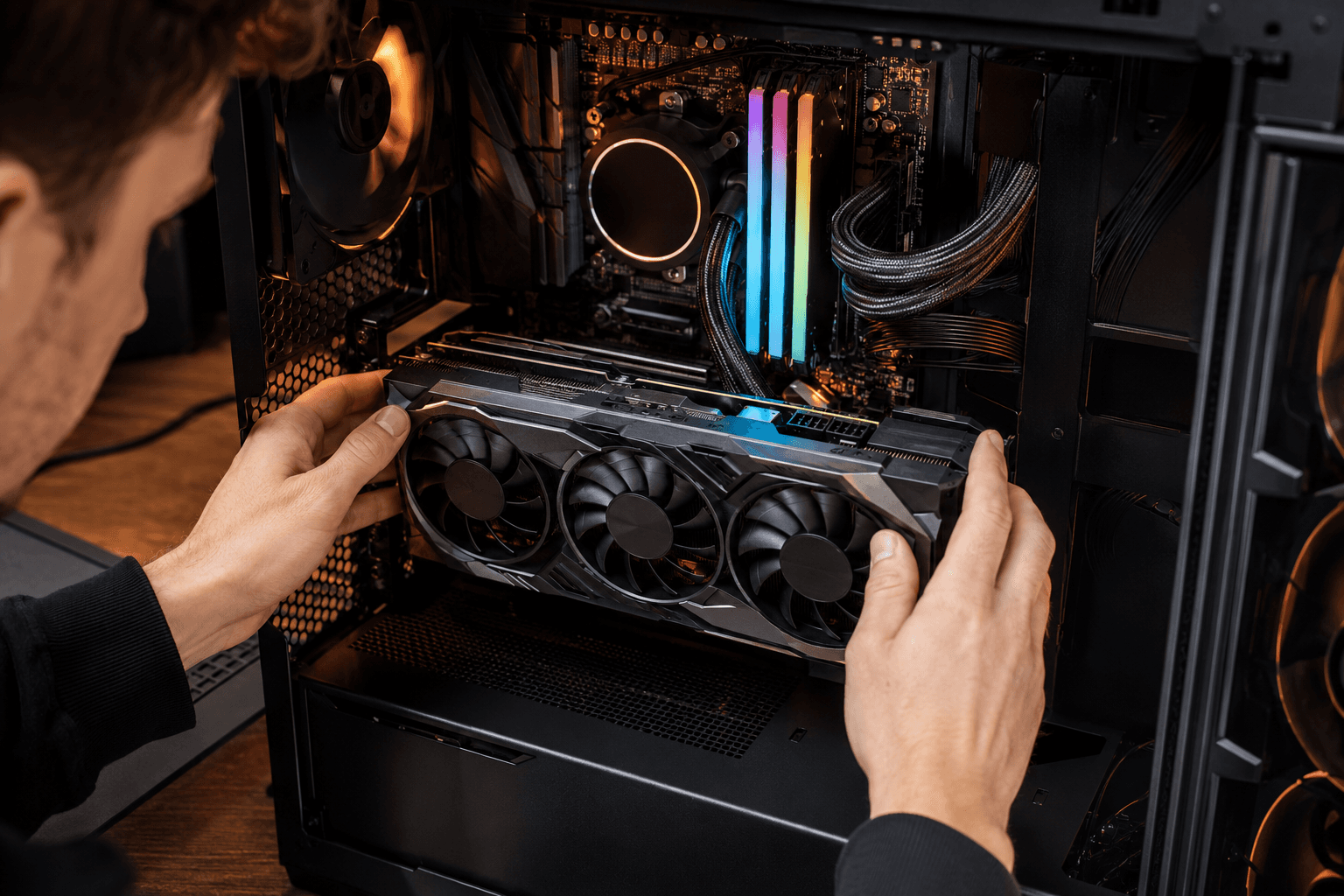
Yes, you can upgrade parts in most prebuilt gaming PCs — but how much you can upgrade depends heavily on which prebuilt you bought. Some are straightforward to work with and accept standard components without issue. Others use proprietary parts, undersized PSUs, or cramped cases that make meaningful upgrades difficult or outright impossible without replacing half the machine.
The short answer is: check before you buy, not after. Knowing what's upgradeable going in will save you frustration later.
Why This Question Matters More Than People Realise
A lot of buyers purchase a prebuilt with the intention of upgrading it gradually over time. Buy something affordable now, drop in a better GPU in two years, add more RAM when prices drop. It sounds sensible in theory.
The problem is that some prebuilts were never designed with that plan in mind. Manufacturers at the budget end in particular will often cut costs in ways that aren't visible from the product listing — a low-wattage PSU, a non-standard motherboard form factor, or a chassis that physically won't fit a longer GPU. You don't find this out until you're holding a new graphics card that either won't fit or won't run properly on the power supply beneath it.
This doesn't mean prebuilts can't be upgraded. Many can. It just means you need to go in with your eyes open. If upgradeability matters to you, we covered this decision in more depth in our prebuilt vs build-your-own comparison — worth reading before you commit either way.
What You Can Usually Upgrade in a Prebuilt
RAM
RAM is the easiest upgrade in almost any prebuilt. Most systems use standard DDR4 or DDR5 SO-DIMMs or full-size DIMMs depending on the form factor, and adding or replacing RAM is genuinely plug-and-play as long as you match the type. Check how many slots are populated and how many are free before buying additional sticks.
One thing to watch: some budget prebuilts ship with a single stick of RAM rather than two, meaning they're running in single-channel mode. Adding a matching second stick is one of the cheapest and most effective upgrades you can make — the performance difference in gaming is noticeable.
✓ Check RAM type (DDR4 or DDR5)
✓ Check how many slots are free
✓ Check maximum supported capacity in the motherboard specs
✓ Always add RAM in matching pairs for dual-channel performance
Storage
Adding a second SSD is almost always possible. Most prebuilts have at least one spare M.2 slot or SATA port available. If the system only came with a 512GB NVMe drive and you're running out of space, a second drive is a straightforward addition that requires no technical expertise beyond opening the case.
Replacing the primary drive is also doable, though it requires reinstalling Windows or cloning the existing drive first.
GPU (Graphics Card)
GPU upgrades are where it gets more complicated. Whether you can swap the graphics card depends on three things: the PSU wattage, the PCIe slot availability, and the physical space inside the case.
Budget prebuilts frequently ship with 400W or 450W power supplies. That might be adequate for the GPU they came with, but modern mid-range and high-end cards draw significantly more power. An RTX 4070 under load wants a minimum of 650W from a quality PSU — and that's assuming the rest of the system isn't already pulling heavily from the same supply.
Before upgrading a GPU in any prebuilt, check the PSU wattage and brand. If it's unbranded or rated below 550W, plan to replace the PSU at the same time. Skipping that step is the most common upgrade mistake I see, and it can cause system instability, unexpected shutdowns, or in bad cases, component damage.
Physical clearance is the other issue. Some prebuilt cases are slim or compact designs that physically cannot fit a full-length dual or triple-fan GPU. Measure the internal clearance before ordering.
CPU
CPU upgrades are possible on some prebuilts and impossible on others. If the motherboard uses a standard AM5 or LGA1851 socket, there's a reasonable chance you can drop in a faster processor in the future — assuming the board's power delivery and BIOS support it. If it uses a proprietary or locked-down board, you're stuck with what came installed.
Realistically, most people who buy a prebuilt won't need to upgrade the CPU for three to five years. GPU and RAM upgrades tend to have more impact on day-to-day gaming performance anyway.
What's Harder to Upgrade
The Motherboard
Replacing the motherboard in a prebuilt is rarely worth attempting. You'd be looking at pulling the entire system apart, potentially needing a new Windows activation, and dealing with whatever proprietary connectors or form factor the original board used. In most cases, if the motherboard is the limiting factor, it's more cost-effective to sell the machine and start fresh.
The PSU
This one is worth flagging separately because it's genuinely important. Some prebuilts use proprietary PSU connectors that aren't compatible with standard replacement units. Dell and HP systems in particular have a history of this. If you're planning GPU upgrades down the line, check whether the PSU uses standard ATX connectors before you buy — not after. Understanding what a modular PSU is and why it matters is useful context here, even if you're not building from scratch.
The Case
Some prebuilt cases are fine. Others are mini-tower or slim-line designs that limit what you can physically fit inside. If you're planning significant upgrades, a standard mid-tower with proper airflow will serve you much better long-term than a compact OEM chassis. Case airflow has a real impact on temperatures and therefore on sustained performance — a point that's easy to overlook when you're focused on the core components.
Red Flags to Check Before Buying a Prebuilt You Plan to Upgrade
✓ Unbranded or low-wattage PSU — upgrade potential is immediately limited
✓ Proprietary PSU connectors — replacement PSUs may not be compatible
✓ Slim or micro form factor case — full-length GPUs likely won't fit
✓ Non-standard motherboard — may not support future CPU or RAM upgrades
✓ Single RAM stick — means single-channel; check if a second slot is available
✓ No spare M.2 slots — limits storage expansion without replacing the existing drive
✓ No PCIe power connectors on the PSU — some budget units lack the connectors newer GPUs need
The Components That Are Almost Always Upgradeable
To keep it practical:
→ RAM — nearly always swappable, assuming slots are available
→ Storage (secondary SSD) — straightforward in most systems
→ GPU — possible in most cases, but PSU and case clearance must be verified first
→ CPU cooler — standard socket coolers swap easily; proprietary mounts are the exception
→ Case fans — standard 120mm and 140mm fans fit almost any case
A Word on Warranty
Upgrading a prebuilt can void the manufacturer's warranty, depending on the brand and what you've changed. Some manufacturers are explicit about this; others are vague. If the machine is still under warranty and something goes wrong, an upgraded component can complicate a support claim. Check the warranty terms before opening the case. Rig & Revive's own warranty information explains how this applies to our systems.
When It Makes More Sense to Start Fresh
If you're looking at a prebuilt and planning significant upgrades from day one — new GPU, more RAM, bigger PSU, better cooler — it's worth doing the maths honestly. At some point, you're not upgrading a prebuilt anymore, you're rebuilding it. And at that point, a custom build configured around your actual needs from the start will likely cost less and perform better than a prebuilt you've had to partially gut and replace.
If you want to see what a custom-specced machine actually costs for your budget, our build configurator lets you spec it out yourself and see exactly what goes into the machine before you commit.
Frequently Asked Questions
Can I upgrade the GPU in a prebuilt gaming PC?
Usually yes, but you need to verify the PSU wattage, PSU connector type, and physical clearance inside the case first. Budget prebuilts often have underpowered PSUs that need replacing at the same time as the GPU — factor that into the cost.
Can I add more RAM to a prebuilt?
In most cases, yes. Check whether spare RAM slots are available and confirm the RAM type (DDR4 or DDR5) before buying. Adding a second matching stick to a single-channel system is one of the most cost-effective upgrades you can make.
Will upgrading my prebuilt void the warranty?
It depends on the manufacturer. Some allow RAM and storage upgrades without voiding the warranty; others consider any internal modification a warranty void. Check the terms before opening the case.
Can I replace the CPU in a prebuilt?
Sometimes. If the motherboard uses a standard socket (AM5 or LGA1851) and isn't locked down, a CPU upgrade is possible. Many budget prebuilts use boards that limit this. Check the motherboard model before assuming upgrades are viable.
What's the first thing I should upgrade in a prebuilt gaming PC?
RAM, if the system shipped with a single stick or less than 16GB. After that, storage if space is limited. GPU is the highest-impact upgrade for gaming performance but requires the most preparation — PSU and case clearance need checking first.
Is it worth upgrading a prebuilt or should I just buy a new one?
It depends on what needs upgrading. A RAM or SSD upgrade is almost always worth doing. A GPU upgrade is often worthwhile if the PSU supports it. If you're looking at replacing the GPU, PSU, and case, you're often better off starting with a proper custom build from the outset.
Do prebuilt PCs use standard parts that you can buy anywhere?
Most mid-range and higher prebuilts use standard components. Budget prebuilts from large OEM manufacturers (Dell, HP, Lenovo) are more likely to use proprietary connectors or form factors. Boutique or specialist prebuilts typically use standard parts throughout.