What RAM and SSD Do Most Prebuilt Gaming PCs Come With?
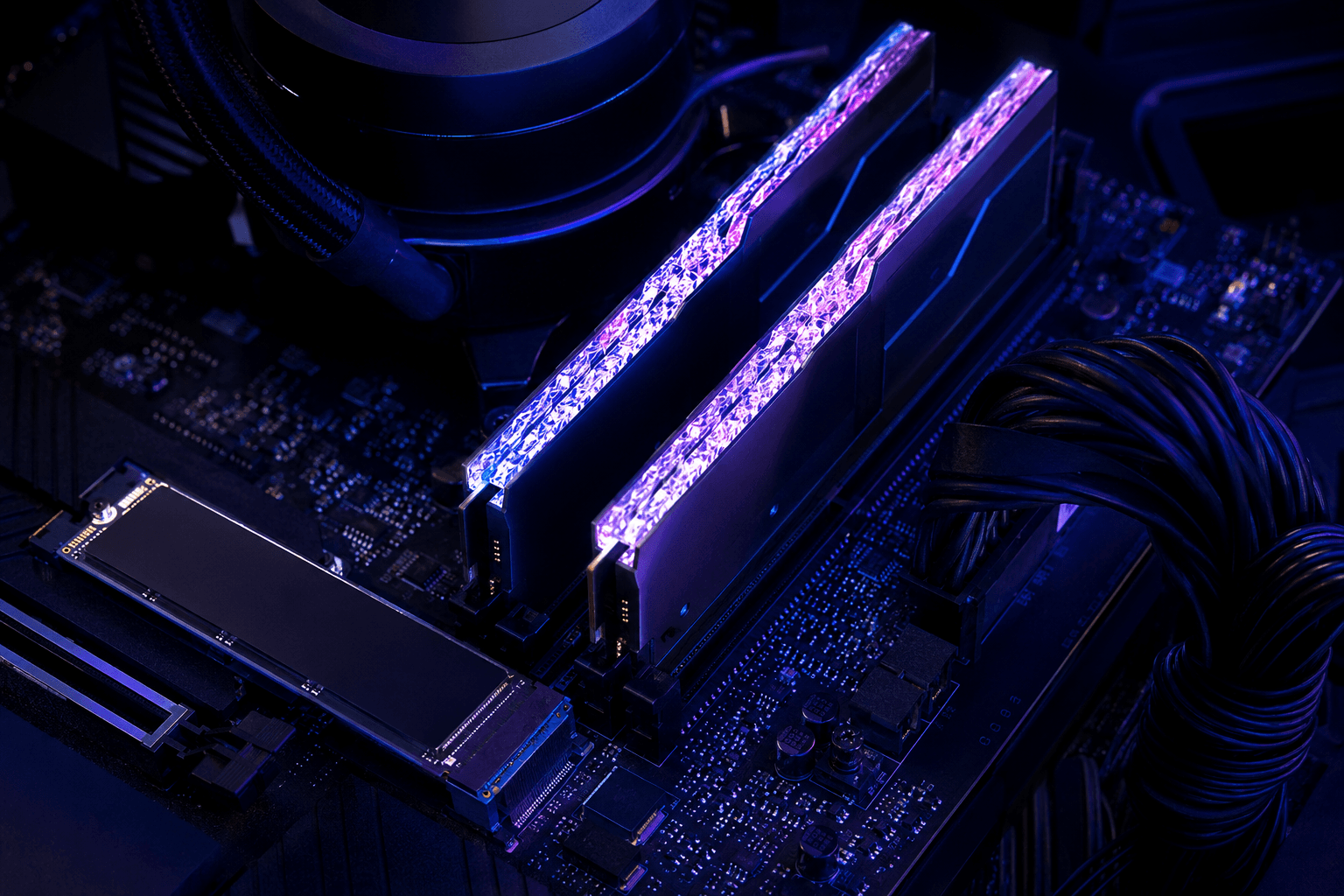
The two components that tend to get the least attention in a prebuilt gaming PC listing are often the RAM and the storage drive. The GPU gets the headline, the CPU gets second billing, and the RAM and SSD sit quietly in the spec sheet where most buyers don't look too closely. That's a mistake, because both of them affect your day-to-day experience in ways that aren't always obvious until something frustrates you.
Most prebuilt gaming PCs come with 16GB of DDR4 or DDR5 RAM and either a 512GB or 1TB NVMe SSD. That's the baseline you'll see across most of the mid-range market. The problem isn't usually the capacity or the type — it's the configuration details underneath those headline figures. RAM running at the wrong frequency, storage that fills up faster than expected, or a single-channel setup where dual-channel should have been used — these are the things that actually affect performance, and they rarely appear in the listing.
What RAM Do Prebuilt Gaming PCs Typically Include?
The short answer is 16GB, most commonly in a dual-channel configuration across two sticks. On DDR4 systems you'll usually see 2x8GB running at 3200MHz. On DDR5 systems — which are now standard across most AMD AM5 and Intel builds from the last couple of years — 2x8GB at 5600MHz or 2x16GB at 6000MHz is typical in the £800–£1,200 range.
One mistake I see regularly when people bring in prebuilts for a RAM upgrade: they assumed the system was already running dual-channel and it wasn't. Some manufacturers, particularly at the budget end, install a single 16GB stick rather than two 8GB sticks to hit a lower cost. Single-channel RAM has a meaningful performance impact in memory-bandwidth-sensitive games and workloads — you can lose 5–15% of GPU frame output compared to the same total capacity in dual-channel. It's worth opening the system and checking which slots are populated before you assume the configuration is optimal.
The other thing to verify is whether XMP or EXPO is actually enabled. A prebuilt might ship with DDR5-6000MHz installed but the profile disabled in the BIOS, which means the RAM is running at the DDR5 default speed — often 4800MHz or lower. This is more common in prebuilts than in self-builds, because enabling XMP requires someone to go into the BIOS and toggle a setting that doesn't affect the system's ability to post or pass a basic functionality test. If nobody checks, the slower speed is what you get.
What RAM Speed Should You Expect?
→ Budget prebuilts (under £700): DDR4 3200MHz or DDR5 4800MHz, often single-channel
→ Mid-range prebuilts (£700–£1,200): DDR4 3600MHz or DDR5 5600–6000MHz, typically dual-channel
→ Higher-end prebuilts (£1,200+): DDR5 6000–6400MHz in dual-channel, sometimes 32GB total
If what you're seeing in your listing doesn't match the tier you're buying in, that's worth questioning. A £1,000 system with DDR4 3200MHz in single-channel is behind where it should be.
How Much Does RAM Speed Actually Matter for Gaming?
It matters more than most people expect, especially on AMD Ryzen platforms where the memory controller is closely tied to the Infinity Fabric clock. Running DDR5 below its rated frequency on a Ryzen 7000 or 9000 series system is leaving real frame rate performance on the table, not just theoretical benchmark headroom.
On Intel platforms the impact is slightly less pronounced, but it's still there — particularly in CPU-limited scenarios where high frame rates depend on the processor feeding the GPU fast enough. If a game is running at 200fps+ on a competitive shooter and the CPU is the bottleneck, faster RAM makes a measurable difference. If you're running at 60fps in a GPU-limited open world title, the RAM speed matters much less.
For a deeper look at how memory configuration affects real gaming performance, our article on how RAM choices affect your system covers the dual-channel vs single-channel and speed questions in more detail.
What SSD Do Prebuilt Gaming PCs Typically Include?
The market has shifted noticeably here over the last two years. NVMe SSDs are now standard across almost all prebuilts above £600, with SATA SSDs appearing mostly in very budget systems or as secondary storage in larger builds. That's genuinely good progress — it means most buyers are getting acceptable load times without needing to immediately swap anything out.
What varies is the capacity and the drive tier. Most prebuilts in the mid-range come with a 1TB NVMe SSD, which sounds comfortable until you remember that Windows takes around 30–40GB, your most-played games can individually run to 80–120GB, and a handful of AAA titles plus some essentials will bring you close to the limit faster than you'd expect. 512GB in particular becomes a real problem within a few months for anyone who plays more than two or three large titles.
The drive tier matters too. Not all NVMe SSDs are equal — there's a significant gap between a PCIe Gen 3 budget unit and a Gen 4 drive from a respected manufacturer. For loading into games and general system responsiveness, Gen 4 drives feel noticeably quicker. The headline sequential read and write figures are dramatic, but the random read performance in smaller file operations is what you actually notice day to day.
What Storage Configuration Should You Expect?
→ Budget prebuilts (under £700): 512GB NVMe Gen 3 SSD, no secondary drive
→ Mid-range prebuilts (£700–£1,200): 1TB NVMe Gen 3 or Gen 4 SSD, occasionally with a 2TB HDD for mass storage
→ Higher-end prebuilts (£1,200+): 1–2TB NVMe Gen 4 SSD, free M.2 slot for expansion
One thing I'd always check before buying: whether the system has a free M.2 slot available. If the motherboard has two M.2 slots and only one is populated, adding storage later is straightforward and cheap. If both slots are taken or the board only has one M.2 slot, your options are an external drive or a SATA SSD, neither of which is ideal.
The Corners That Get Cut on RAM and Storage
The broader picture of where prebuilts cut costs — covered in detail in our piece on how prebuilts sometimes compromise on components — applies directly here. RAM and storage are exactly the kind of components where a manufacturer can save money without the spec sheet looking obviously worse.
Specific patterns worth watching for:
✓ Single-channel RAM marketed as "16GB" — technically accurate, meaningfully worse than 2x8GB in dual-channel.
✓ DDR5 installed without XMP enabled — the RAM is faster than the listing implies it's running, because the fast profile has never been switched on.
✓ 512GB SSD in a system priced at £900+ — at that price point, 1TB should be standard. If it isn't, the SSD budget has been reallocated elsewhere, usually to the GPU.
✓ Unnamed or no-brand NVMe drives — some prebuilts use white-label or OEM-only NVMe units that aren't sold retail. They're not necessarily bad, but you can't easily look up reviews or reliability data for them.
✓ HDD listed alongside an SSD without clarity on which has the OS — occasionally a system will list "1TB SSD + 2TB HDD" and the operating system is on the HDD. This is increasingly rare but not extinct. Always confirm the boot drive is the SSD.
What's Worth Upgrading First After Buying a Prebuilt?
If you've already bought a prebuilt and you're wondering where your upgrade budget is best spent, RAM and storage are often the highest-impact, lowest-cost areas — especially if the system shipped with a less-than-ideal configuration.
Adding a second stick of RAM to move from single-channel to dual-channel is one of the best value upgrades available. You're buying a matched pair to replace or supplement the existing stick (matching speeds and timings matters here), and the performance gain in gaming is real and immediate. Before buying, check what's installed and whether there are free slots — a quick look in Windows Task Manager under Performance → Memory will show you the speed the RAM is currently running at and how many slots are in use.
Storage expansion is similarly cost-effective. A 2TB NVMe Gen 4 drive now costs well under £100, and adding one to a free M.2 slot takes about five minutes. If the only thing limiting your game library is a full 512GB boot drive, this is the most practical first upgrade available.
If you're evaluating prebuilts before buying and trying to judge how much the RAM and storage situation will cost you to correct, it's worth folding that into the total cost calculation. A system at £799 with 512GB and single-channel RAM might end up costing you another £80–£100 to get into a configuration you'd consider properly set up, which changes how it compares to a system priced at £899 that ships correctly.
Does the SSD Brand Matter in a Prebuilt?
For most gaming use cases, the brand matters less than the drive generation and capacity. Gen 4 NVMe from any of the major manufacturers — Samsung, WD, Seagate, Kingston, Crucial — will perform similarly in game loading and general system use. The meaningful differences appear in sustained write speeds and long-term reliability, both of which matter more for content creators and heavy file movers than for typical gaming workloads.
Where brand becomes relevant is with the anonymous OEM units mentioned above. If the drive in the system has no brand name in Windows Device Manager or the BIOS, look it up — the model number is usually findable and you can cross-reference it. It's rarely a serious concern, but knowing what's in your system is always better than not knowing.
Frequently Asked Questions
How much RAM do most prebuilt gaming PCs come with?
16GB is standard across almost all prebuilt gaming PCs. Budget systems sometimes ship with 8GB, which is below the practical minimum for current titles. Higher-end systems from £1,000 upward increasingly include 32GB, which makes sense if you're streaming, editing, or running multiple applications alongside games.
Is 16GB RAM enough for gaming?
Yes, for most games. A growing number of titles are listing 16GB as the recommended specification rather than the minimum, so 16GB is the practical baseline rather than a comfortable surplus. 32GB becomes worthwhile if you're streaming your gameplay, video editing between sessions, or regularly running demanding background applications.
What type of SSD comes with most prebuilt gaming PCs?
NVMe SSDs are now standard in the vast majority of prebuilts above £600. Gen 3 is common in budget and lower mid-range systems; Gen 4 appears more frequently above £900. SATA SSDs still appear in some very budget configurations, though they're increasingly rare as the price difference has narrowed.
Is 512GB SSD enough for a gaming PC?
It's tight. Windows and system files take 30–40GB immediately, and modern AAA titles regularly run to 80–120GB each. With a 512GB drive you'll find yourself managing storage space actively within a few months. 1TB is a more comfortable starting point, and adding a second NVMe drive later is an easy and affordable expansion.
Should I check if XMP is enabled on a new prebuilt?
Yes, and it's worth doing within the first hour of setting up. Boot into the BIOS (usually Delete or F2 during startup) and look for the XMP or EXPO option under memory settings. Enable it, save, and reboot. You can verify the RAM speed in Windows Task Manager under Performance. If the speed shown matches the rated speed on the RAM sticks, you're set.
How do I find out what RAM configuration my prebuilt has?
Open Task Manager, go to Performance, and click Memory. It shows total capacity, current speed, and the number of slots used. If you see 16GB at a speed lower than the RAM's rated speed, XMP may not be enabled. If it shows only one of two or four slots in use, you're in single-channel and have room to add a matched stick.
What's the first thing to upgrade in a prebuilt gaming PC?
If storage is full or nearly full, a second NVMe drive is the most immediately practical upgrade. If RAM is in single-channel or running below its rated XMP speed, sorting that out — either enabling XMP in BIOS or adding a matched stick — gives you performance gains for minimal cost. Both upgrades are cheaper and easier than replacing a GPU and make a real difference to day-to-day use.
Final Thought
The RAM and SSD in a prebuilt gaming PC rarely get the attention they deserve at the point of purchase, but they're the components most likely to quietly limit your experience — whether that's a game library that runs out of space sooner than expected or a system performing below what its specs suggest it should. Checking the RAM configuration and verifying XMP before you start using a new system costs nothing. Knowing what storage capacity you actually need before buying saves you either the frustration of being full within months or the cost of an upgrade you could have avoided. Getting those two things right, either at purchase or shortly after, puts most prebuilts in a noticeably better position than they arrive in.