What DPI Should You Use for FPS Gaming?
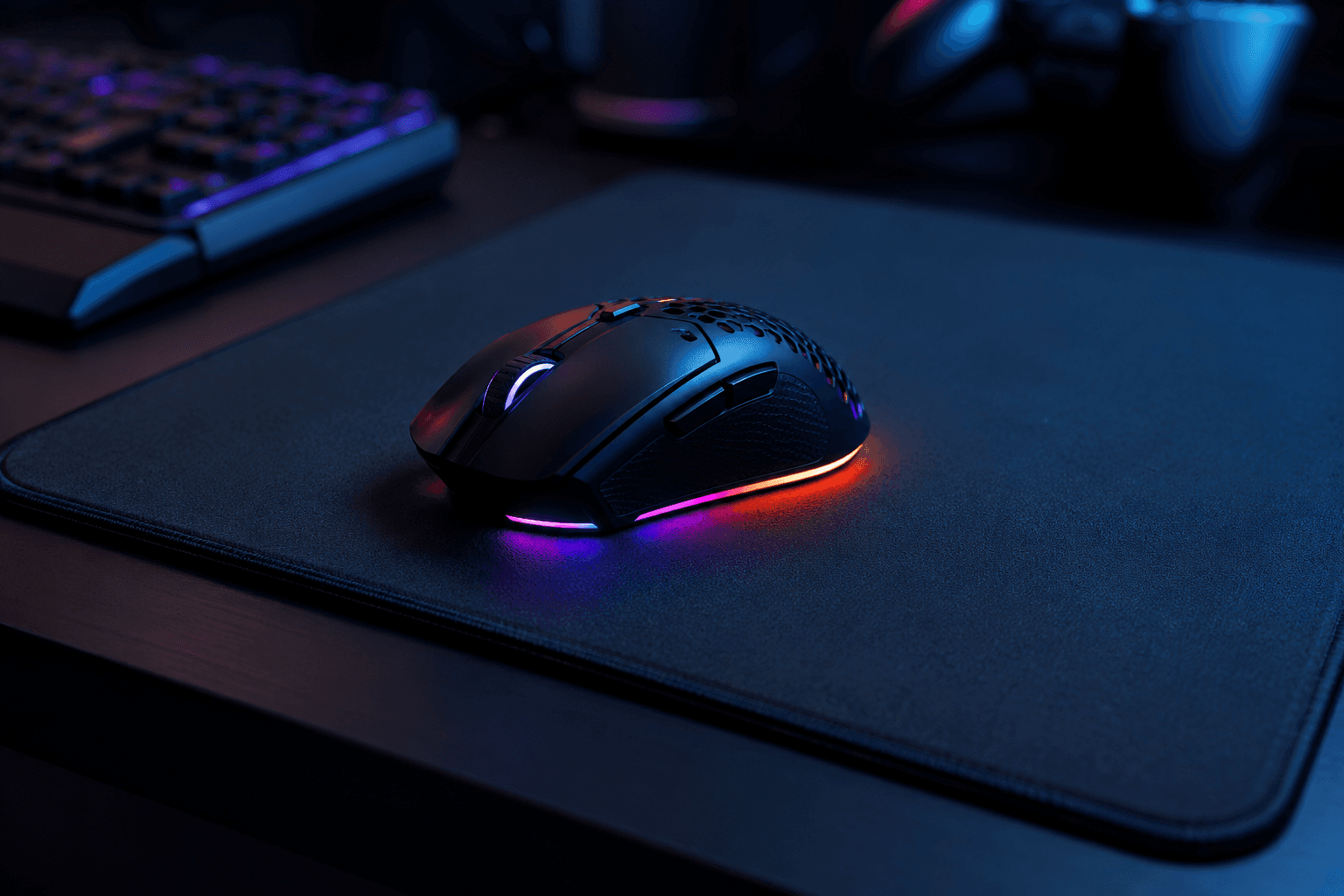
If you've ever watched a professional FPS player and noticed how slowly they move their mouse across what looks like a massive mousepad, you've already seen the answer to this question in action. Most serious FPS players use low DPI settings, typically somewhere between 400 and 1600, combined with higher in-game sensitivity to reach a comfortable overall speed. It sounds counterintuitive at first, but there are real reasons why this approach dominates at every level of competitive play.
For FPS gaming, the generally recommended DPI range is 400 to 1600. Most competitive players land between 400 and 800 DPI with in-game sensitivity adjusted to suit their preferred mouse speed. Higher DPI feels faster and more reactive initially, but it tends to make precise tracking and micro-adjustments noticeably harder to control, particularly under pressure.
This article covers what DPI actually means, why lower settings tend to produce better results in FPS titles, how to find your own ideal configuration, and what the professional scene actually uses as a reference point.
What DPI Actually Means
DPI stands for dots per inch, and it describes how far your cursor moves on screen relative to physical mouse movement. At 400 DPI, moving your mouse one inch moves the cursor 400 pixels. At 3200 DPI, that same inch of movement moves the cursor 3200 pixels. Higher DPI means more cursor movement per physical movement, which translates to faster, more sweeping motion across the screen.
The important thing to understand is that DPI and in-game sensitivity work together, not independently. You can achieve the exact same effective cursor speed at 400 DPI with a higher in-game sensitivity as you can at 1600 DPI with a lower one. What changes between those two configurations is precision. Lower DPI with matched in-game sensitivity gives your mouse sensor more physical distance to work with per pixel of cursor movement, which generally means smoother tracking and better accuracy in small adjustments.
Many players assume higher DPI is objectively better because it sounds more capable, but that's not how it works in practice. Higher DPI reduces the amount of physical movement required to reach the same point on screen, which is useful for tasks like navigating a large desktop across multiple monitors. In FPS gaming, where small precise movements matter enormously, that same property becomes a liability.
Why Most FPS Players Use Low DPI
The professional FPS scene has settled on low DPI not because of fashion or tradition, but because it produces consistently better results. The vast majority of top players across games like Counter-Strike 2, Valorant, Apex Legends, and Rainbow Six Siege use DPI settings in the 400 to 800 range. This isn't a coincidence.
At lower DPI settings, your arm and wrist have to travel further to move the crosshair a given distance. That additional travel distance gives you more physical control over fine movements. When you're trying to hold an angle, track a head, or flick to a target, smaller physical input variations translate into smaller cursor variations. At high DPI, the relationship between physical movement and cursor movement is so sensitive that tiny involuntary hand tremors can produce visible jitter on screen.
There's also the question of muscle memory. Low DPI combined with a consistent in-game sensitivity allows your body to learn the specific distances and movements needed for common in-game scenarios. A 180 degree turn, snapping to a doorway, or tracking a strafing target all require predictable, repeatable motion. The lower the DPI, the more consistent that physical movement needs to be, which over time trains better mechanical precision.
One mistake I see regularly when people ask about sensitivity settings: they've been increasing DPI because they assume it will improve reaction time. It won't. Your reaction time is biological. What DPI affects is what happens after you react, specifically whether the movement your hand makes translates accurately into the aim correction you intended.
The Recommended DPI Ranges by Play Style
Different FPS games and play styles do favour slightly different configurations, so the answer isn't entirely one-size-fits-all. Here's a practical breakdown:
Competitive FPS (Counter-Strike 2, Valorant, Rainbow Six Siege)
→ DPI: 400 to 800
→ Effective sensitivity (eDPI): typically 200 to 800 combined
→ Mouse movement style: arm aiming, large mousepad, slow and deliberate
→ Why it works: these games reward precise, controlled aim over fast reactive flicking. Lower sensitivity gives more room for micro-corrections.
Battle Royale (Apex Legends, Warzone, PUBG)
→ DPI: 400 to 1200
→ Effective sensitivity (eDPI): 400 to 1200 combined
→ Mouse movement style: wrist and arm combined, medium mousepad
→ Why it works: these games require faster large-scale movement to track moving targets at longer ranges while still demanding accuracy. Slightly higher eDPI gives the speed needed without sacrificing too much control.
Arena Shooters and Fast Paced FPS (Quake, Overwatch 2)
→ DPI: 800 to 1600
→ Effective sensitivity (eDPI): 800 to 2000 combined
→ Mouse movement style: wrist dominant, medium mousepad
→ Why it works: fast movement and target tracking at close range can benefit from higher sensitivity, though even here most top players sit at the lower end of this range.
What eDPI Is and Why It Matters More Than DPI Alone
eDPI stands for effective DPI, and it's calculated by multiplying your mouse DPI by your in-game sensitivity. It's the most useful single number for comparing setups across different players and games, because it accounts for both variables together rather than just one.
For example, a player using 400 DPI at 2.0 in-game sensitivity and a player using 800 DPI at 1.0 in-game sensitivity have the same eDPI of 800. Their cursor will move at the same speed for the same physical movement. The difference between them is largely personal preference for how the mouse feels, not objective performance.
When looking up what professional players use as a reference, always check their eDPI rather than just their DPI. A pro playing at 400 DPI and 2.5 sensitivity has a higher effective speed than a pro playing at 800 DPI and 0.8 sensitivity. The DPI alone doesn't tell you anything useful without the full picture.
What the Professionals Actually Use
Across the main competitive FPS titles, professional players cluster heavily in a fairly narrow range. In Counter-Strike 2, the average eDPI across top players sits around 800 to 1000. In Valorant, the average is slightly lower, typically 260 to 400 eDPI, reflecting the game's emphasis on precise tactical shooting over aggressive movement. In Apex Legends, averages run higher at 1000 to 1600 eDPI because the game demands faster tracking of highly mobile targets.
What virtually no top player uses is anything above 3200 DPI. High DPI settings are common among casual players and are heavily marketed by peripheral manufacturers, but the competitive scene's choices tell a different story. The players who have refined their settings through thousands of hours of play overwhelmingly land in the low-to-mid range.
That said, copying a professional's exact settings and expecting immediate improvement is a common trap. Their settings are optimised for their hands, their mousepad size, their desk setup, and their game sense developed over years. Use professional settings as a starting point to experiment from, not as a guarantee of better performance.
How to Find Your Own Ideal DPI Setting
The most practical approach is to start at 800 DPI and adjust your in-game sensitivity until you find a speed that feels comfortable. From there, you can experiment with lower DPI settings to see whether you prefer the feel of a slower, more deliberate setup.
A useful calibration method is the 360 test. Set your sensitivity, then measure how many centimetres of mouse movement it takes to complete a 360 degree turn in-game. Most competitive players land between 30 and 50 centimetres for a full rotation. If your 360 distance is under 20 centimetres, your overall sensitivity is likely too high for precise FPS play.
✓ Start at 800 DPI and mid-range in-game sensitivity
✓ Play for at least a week before changing anything, consistency matters more than finding the perfect number immediately
✓ Reduce DPI to 400 and double your in-game sensitivity to compare the feel without changing your speed
✓ Run the 360 test and aim for 30 to 50 centimetres of travel per full rotation
✓ Stick with a setting for two to three weeks before deciding whether to adjust
The biggest mistake people make with sensitivity is changing it too often. Your muscle memory needs time to build. Changing DPI or sensitivity every few days means you're constantly resetting any progress your hands are making toward consistent aim.
Does Your Mouse Quality Affect What DPI You Should Use?
Yes, to a degree. Budget mice with lower quality sensors can exhibit a problem called angle snapping or sensor jitter at very low DPI settings, where the cursor movement doesn't accurately represent the physical movement of the mouse. On a quality sensor, 400 DPI is perfectly clean. On a very cheap mouse, 400 DPI might feel inconsistent or stuttery.
If you're playing on a budget mouse and finding very low DPI settings feel unpredictable, try 800 DPI rather than 400. Most sensors from reputable manufacturers perform well at 800 DPI even at the lower price points.
The relationship between your mouse quality, your monitor's refresh rate, and your overall setup is part of what makes peripheral choices more connected than they might seem. If you're putting together or assessing your gaming setup more broadly, our guide on best gaming monitors under £200 covers what to look for on the display side, which directly affects how mouse tracking translates on screen.
DPI and In-Game Sensitivity: Common Mistakes
✓ Using very high DPI because the mouse supports it
Mouse manufacturers often advertise maximum DPI as a headline feature. 16000 DPI, 25600 DPI, and higher numbers appear on marketing materials but are not useful for gaming. These figures exist for tasks like moving across very large multi-monitor desktop setups. For FPS gaming, anything above 3200 DPI is actively counterproductive for the vast majority of players.
✓ Changing settings constantly without giving them time
This is probably the most common mistake. Players change their DPI, play badly for two days, decide it doesn't work, and change back. Consistency over two to three weeks with any given sensitivity is the minimum needed to fairly evaluate whether it suits you.
✓ Ignoring the Windows pointer speed setting
Windows has its own pointer speed multiplier that sits on top of your DPI and in-game sensitivity. Most FPS players set this to 6 out of 11 (the default position, which applies no additional scaling) and leave it there. If your Windows pointer speed is higher than 6, it's adding acceleration and unpredictability that undermines the consistency you're trying to build.
✓ Not accounting for mousepad size
A low DPI setting requires physical space to move the mouse. If you're running 400 DPI on a small desk mat, you'll be lifting and repositioning the mouse constantly during play. Low DPI works best with a large or extended mousepad that gives your arm room to work properly.
Does Your PC Setup Affect Aim?
Your peripheral settings matter, but they only produce their best results when paired with a capable gaming PC. High refresh rate gaming at 144Hz or 240Hz makes your aim feel more responsive regardless of DPI, because the screen is updating more frequently and your mouse movement translates to what you see with less delay.
That connection between PC performance and peripheral effectiveness is why settings like DPI don't exist in isolation. If your PC is struggling to maintain high frame rates, no sensitivity setting will fix the stuttering and inconsistency you're feeling. The PC has to be capable of delivering the frame rates your monitor can display. For anyone questioning whether their current system is up to the job, our breakdown of the best gaming PC build under £1000 shows what a capable system looks like at a realistic budget.
It's also worth knowing what CPU platform your PC is running, since frame rate consistency in CPU-limited scenarios (which FPS games often are at high frame rates) depends on the processor as much as the GPU. Our look at Intel vs AMD for gaming covers how the two platforms compare for high-frame-rate gaming specifically.
If you're buying a new system to play competitive FPS titles and wondering what components to expect inside, our article on what RAM and SSD prebuilt PCs come with is worth reading before you commit.
Frequently Asked Questions
What DPI do most pro FPS players use?
The majority use between 400 and 800 DPI with in-game sensitivity adjusted to achieve a comfortable speed. In Counter-Strike 2 and Valorant, eDPI figures below 1000 are most common. Higher eDPI is seen in games like Apex Legends and Overwatch 2 where target tracking at speed is more central to gameplay.
Is 1600 DPI too high for FPS gaming?
Not necessarily. 1600 DPI paired with a low in-game sensitivity can produce the same effective speed as 800 DPI at a higher sensitivity. The question is whether your mouse sensor performs cleanly at that DPI and whether the feel suits your play style. That said, most competitive players find 400 to 800 DPI more controllable for precise aim.
Does higher DPI mean better aim?
No. Higher DPI means faster cursor movement per inch of physical movement. For FPS gaming, excessive sensitivity generally makes precise aim harder rather than easier. The best players in the world consistently use low to mid DPI settings.
What is eDPI and how do I calculate it?
eDPI is effective DPI. Multiply your mouse DPI by your in-game sensitivity setting. For example, 800 DPI multiplied by 1.5 in-game sensitivity equals 1200 eDPI. This number lets you compare your effective sensitivity with other players regardless of what individual DPI or in-game sensitivity figures they use.
Should I use the same DPI for every game?
Your DPI setting lives at the mouse hardware level and stays constant across all software unless you change it. What changes between games is the in-game sensitivity multiplier. Most players keep their DPI fixed and adjust per-game sensitivity as needed. Keeping DPI consistent helps your muscle memory stay stable.
Does Windows pointer speed affect gaming?
Yes. If Windows pointer speed is set above or below position 6 of 11, it applies additional scaling or acceleration that interferes with consistent aim. Always set it to position 6 and disable pointer precision (mouse acceleration) in Windows mouse settings for FPS gaming.
What mousepad size do I need for low DPI gaming?
Low DPI requires more physical mouse movement. Most players using 400 to 800 DPI benefit from a large extended mousepad, typically 900mm x 400mm or larger, to give enough room for arm movements without lifting and repositioning the mouse mid-game.
Final Thought
DPI is one of those settings that gets overcomplicated when it doesn't need to be. Start between 400 and 800 DPI, adjust your in-game sensitivity until your movement feels controlled, and give yourself several weeks to adapt before changing anything. The instinct to chase a perfect number is understandable, but consistency with a sensible starting point will improve your aim more than constant experimentation. Everything else, the mousepad, the monitor, the PC running the game, layers on top of that foundation.