Mechanical vs Membrane Keyboard: Which Is Better for Gaming?
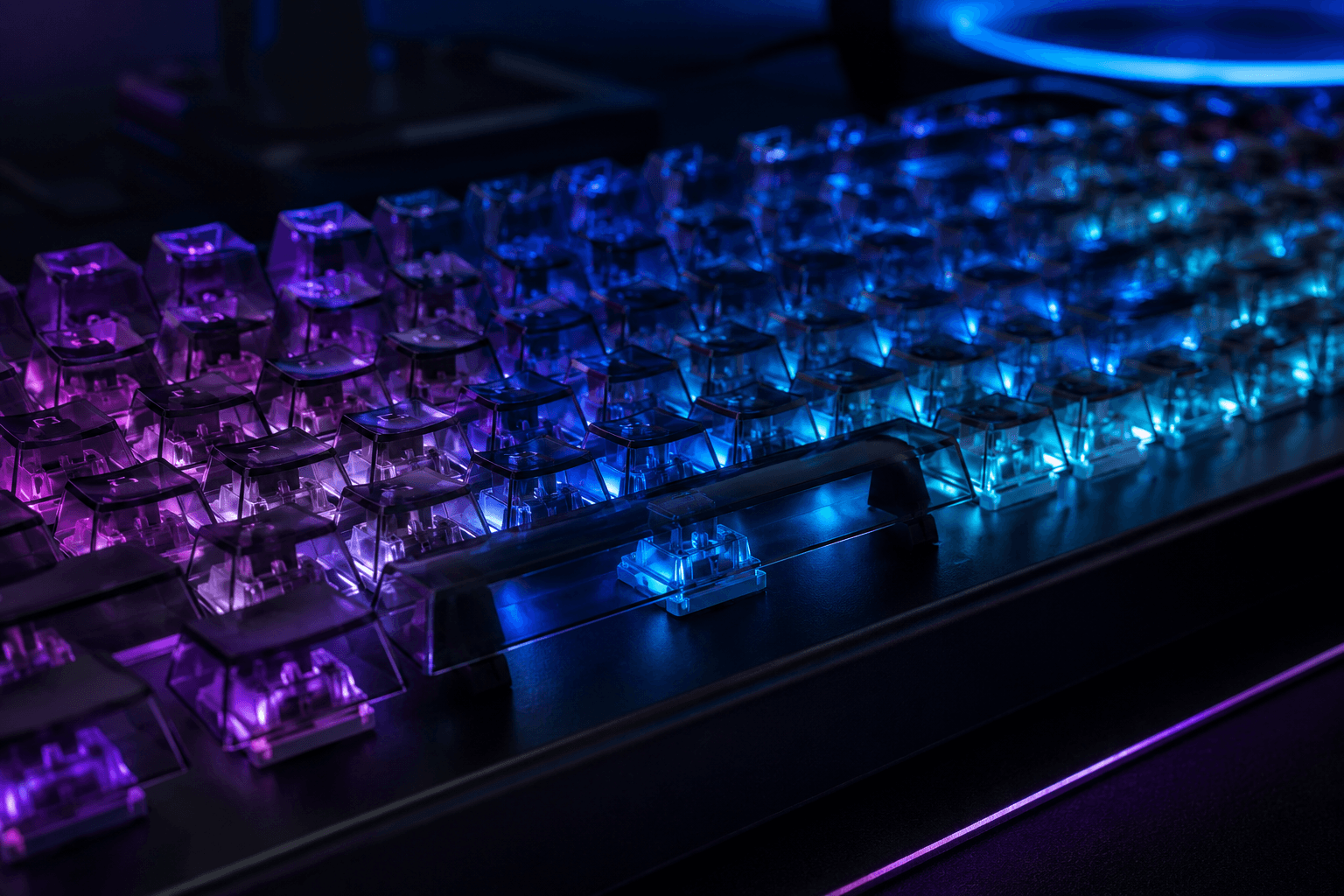
If you've spent any time looking at gaming peripherals, you've probably seen the argument play out dozens of times. Mechanical keyboards are marketed as the obvious choice for serious gamers, while membrane keyboards get dismissed as budget compromises not worth considering. The reality is more nuanced than that, and the right choice depends on what you actually play, how much you're spending, and whether the differences that matter to enthusiasts will make any practical difference to you.
For most gamers who care about performance, mechanical keyboards are the better choice. They offer faster actuation, more consistent key feel, better durability, and individual key customisation that membrane boards simply can't match. That said, a quality membrane keyboard at £40 to £60 will outperform a cheap mechanical keyboard with a budget switch and a hollow plastic body at the same price. Price point matters as much as technology type when you're comparing specific products.
How Mechanical and Membrane Keyboards Actually Work
A mechanical keyboard uses an individual physical switch beneath every key. Each switch has a spring, a stem, and two metal contact points. When you press a key, the stem travels down, the contacts meet, and the keypress registers. The entire mechanism is self-contained per key, which is why you can replace individual switches, why the feel is so consistent, and why mechanical keyboards survive years of heavy use without the mushy degradation membrane boards experience over time.
A membrane keyboard works differently. Beneath the keycaps sits a flexible membrane with pressure pads. Pressing a key pushes the top membrane layer down onto a circuit layer below, completing the circuit and registering the input. There are no individual moving parts per key. The feel comes entirely from the dome beneath the keycap, usually a rubber dome, which provides resistance and then collapses when pressed. Because the whole system is one continuous membrane rather than individual units, there's no way to replace a single worn area without replacing the whole board.
The feel difference between the two is immediately obvious to anyone who has used both. Mechanical switches have a defined actuation point you can feel, whether that's a tactile bump, an audible click, or a smooth linear travel with a consistent break point. Membrane keyboards feel spongier because the rubber dome compresses gradually rather than snapping through a defined point.
The Types of Mechanical Switches and What They Mean for Gaming
This is where a lot of buyers get lost, because the mechanical keyboard market has expanded enormously and the switch options can feel overwhelming. The three main categories are linear, tactile, and clicky, and they suit different styles of use.
Linear switches travel smoothly from top to bottom with no bump or click along the way. The keypress feels consistent throughout the travel distance. Cherry MX Red, Gateron Yellow, and most "speed" switches fall into this category. These are popular for gaming because the smooth travel and relatively light actuation force mean fast repeated keypresses feel easy and precise. If you spend most of your time on a gaming keyboard rather than typing documents, linear switches are usually the most comfortable choice.
Tactile switches have a noticeable bump partway through the travel that tells your finger the keypress has registered. Cherry MX Brown is the most well-known example, though it gets criticised regularly for having a tactile bump that's too subtle to feel satisfying and too present to feel smooth. Better tactile options include Gateron Brown, Holy Pandas (if you're willing to spend on enthusiast switches), and Topre switches for those who want a genuinely excellent tactile feel. Tactile switches suit people who split their time between gaming and typing.
Clicky switches add an audible click to the tactile bump, so you both feel and hear the actuation point. Cherry MX Blue is the most common example. They feel excellent for typing but can be genuinely annoying in shared spaces, and the audible feedback doesn't add anything meaningful for gaming that the tactile bump alone doesn't already provide. Most gaming-specific keyboards avoid clicky switches for this reason.
What Membrane Keyboards Actually Get Right
Membrane keyboards aren't all bad, and it's worth being honest about where they hold up rather than dismissing them entirely.
The biggest genuine advantage is silence. A membrane keyboard produces very little noise compared to most mechanical switches, which matters if you're sharing a room, gaming late at night, or on voice chat where keyboard noise bleeds into your microphone. Even linear mechanical switches make more noise than a membrane board when bottoming out, and clicky switches in a shared space will genuinely irritate people around you.
Price is the other area where membrane boards make sense. At £20 to £35, a decent membrane keyboard from Logitech or similar is reliable, comfortable enough for casual gaming, and won't fall apart quickly. A mechanical keyboard at the same price will usually have switches that feel unpleasant, a chassis that flexes, and stabilisers on the larger keys that rattle badly. If your budget for a keyboard is under £40, a quality membrane board is often a more sensible purchase than a cheap mechanical one.
Membrane keyboards also tend to be lighter and easier to travel with, which matters if you're regularly packing a keyboard for LAN events or moving between setups.
Where Mechanical Keyboards Win for Gaming
For gaming specifically, mechanical keyboards have several genuine advantages that become more meaningful as your skill level and game choice demands increase.
Actuation consistency is the most important one. Every keypress on a mechanical keyboard feels the same because each switch is an independent unit. After months of use, the keys you press most often on a membrane board start to feel different from the ones you rarely touch, because the rubber domes wear unevenly. Mechanical switches degrade far more slowly and maintain their consistent feel for much longer.
Anti-ghosting and N-key rollover are more commonly implemented properly on mechanical gaming keyboards. Ghosting happens when a keyboard can't register multiple simultaneous keypresses correctly, which is a real problem in games that require pressing several movement and action keys at once. N-key rollover means every key can be pressed simultaneously and registered independently. Most quality mechanical gaming keyboards offer full N-key rollover. Budget membrane boards often have limitations here that can result in missed inputs during intense gameplay.
Actuation point and pre-travel affect how quickly repeated keypresses register. Speed switches like the Cherry MX Speed Silver or Gateron Silver actuate higher in the key travel, meaning you need to press less far before the input registers. For games like Counter-Strike 2 where crouch and counter-strafing inputs need to be fast and precise, this matters more than most people initially expect.
Durability is straightforward. Mechanical switches are rated for 50 to 100 million keypresses per switch depending on the manufacturer. Membrane keyboards are typically rated for 5 to 10 million. For a gaming keyboard that sees daily heavy use, this difference is real and plays out over the ownership period of the product.
Common Mistakes When Buying a Gaming Keyboard
One mistake I see regularly is people spending £80 to £100 on a mechanical keyboard with a switch type they've never tried, then finding they dislike the feel and assuming mechanical keyboards in general aren't for them. Switch feel is personal. Before spending serious money, try to get hands on different switch types, whether at a retailer, a friend's setup, or a LAN event. Linear switches feel nothing like tactile ones, and within each category there's meaningful variation between manufacturers.
A common issue is also buying a keyboard based on RGB lighting without paying attention to the switches or build quality underneath. Some of the most aggressively marketed gaming keyboards have bright lighting and mediocre switches. The lighting adds nothing to gaming performance and costs money that would be better spent on the actual mechanical components.
Buying clicky switches for a shared living situation is another one that comes up often. Blue switches are loud. Not unpleasant loud if you're alone, but genuinely disruptive loud if someone else is trying to sleep, work, or watch something nearby. Linear or tactile switches solve this without sacrificing performance.
How Keyboard Choice Fits Into Your Wider Gaming Setup
A keyboard doesn't exist in isolation. How it feels and performs is connected to your desk height, your chair position, and what else you're using alongside it. If you're building out a competitive gaming setup and also thinking about your FPS mouse sensitivity and peripheral configuration more broadly, the keyboard is part of a system rather than a standalone purchase.
The desk surface and how the keyboard sits on it matters more than most people expect. A keyboard that slides around under fast typing or gaming input is frustrating regardless of how good the switches are. Rubber feet quality varies a lot between keyboards, and a cheap rubberised desk mat solves the problem entirely if yours aren't grippy enough.
If you're also looking at gaming monitors under £200 and building a complete setup on a sensible budget, the keyboard is one of the easier places to get good value. A solid mechanical keyboard from Ducky, Keychron, or Glorious in the £60 to £90 range will outlast several generations of other components and require no upgrades for years.
What to Spend and What to Expect at Each Price Point
Getting the budget right saves a lot of disappointment. Here's what you can realistically expect at different price points:
Under £40
✓ Membrane keyboards from Logitech or similar are the sensible choice here
✓ Cheap mechanical keyboards at this price usually have hollow bodies, rattle on larger keys, and use lower-quality switches that feel scratchy
✓ If the budget is firm, spend it on a quality membrane board rather than a disappointing mechanical one
£40 to £80
✓ Entry-level mechanical keyboards from brands like Redragon, Royal Kludge, and Tecware are available here
✓ Switch quality is acceptable, build quality is functional rather than impressive
✓ Gateron switches at this tier feel noticeably better than budget Cherry clones
✓ Keychron K-series starts to appear at the top of this range and represents strong value
£80 to £150
✓ This is where mechanical keyboards start to feel genuinely good across the board
✓ Keychron, Ducky, and Glorious offer solid options with better build quality, sound dampening, and switch choices
✓ Hot-swap PCBs become available, letting you change switches without soldering
✓ Stabiliser quality improves noticeably, which affects how the spacebar and larger keys feel
£150 and above
✓ Enthusiast territory with fully customisable options, premium switches, and gasket-mounted boards that sound and feel significantly better
✓ Diminishing returns are real here unless you genuinely care about the typing and gaming experience at a deep level
✓ Worth it for people who spend many hours a day at their keyboard, less so for casual or moderate gamers
Our Recommendation
For most gamers, a mechanical keyboard in the £60 to £100 range with linear switches is the right answer. It will feel better than anything membrane at the same price, last longer, and give you options to customise or replace switches later if your preferences change. Keychron and Ducky are the two brands I'd point most people toward in the UK at this budget. Both use quality switches, both are available with hot-swap support, and both have a track record of lasting years without issue.
If budget is tight and you're deciding between a poor mechanical keyboard and a good membrane board at similar prices, buy the membrane board. A scratchy, rattle-heavy mechanical keyboard is a worse experience than a quality membrane, regardless of what the marketing says about mechanical switches being superior.
Frequently Asked Questions
Is a mechanical keyboard better for gaming?
For most gaming use cases, yes. Mechanical keyboards offer more consistent actuation, better durability, and more accurate simultaneous keypress registration than membrane alternatives. The performance gap is most noticeable in fast-paced competitive games where precise and repeated inputs matter.
What type of mechanical switch is best for gaming?
Linear switches are the most popular choice for gaming. They travel smoothly with no bump or resistance along the way, which suits fast repeated keypresses. Cherry MX Red, Gateron Red, and Gateron Yellow are widely used options. Speed switches like Cherry MX Speed Silver actuate higher in the travel distance for slightly faster input registration.
Are membrane keyboards bad for gaming?
Not inherently. A quality membrane keyboard in the £40 to £60 range from a reputable brand is perfectly adequate for casual and moderate gaming. The limitations become more noticeable at a competitive level, particularly around actuation consistency and simultaneous keypress handling.
How long do mechanical keyboards last compared to membrane?
Mechanical switches are typically rated for 50 to 100 million keypresses. Membrane keyboards are usually rated for 5 to 10 million. For heavy daily use, a mechanical keyboard will maintain its feel and reliability noticeably longer.
What is a hot-swap keyboard and should I get one?
A hot-swap keyboard allows you to remove and replace individual switches without soldering. This lets you experiment with different switch types without buying a new keyboard. If you're unsure which switches you prefer, a hot-swap board makes sense because it removes the commitment to one switch type permanently.
Are expensive mechanical keyboards worth it for gaming?
At the £60 to £100 range, the improvement over budget options is clearly worthwhile. Above £150, the returns are diminishing from a pure gaming performance standpoint. Premium boards at higher prices offer better sound, typing feel, and build quality that matters more for people who type extensively than for those who primarily game.
Do mechanical keyboards make a big difference in competitive gaming?
The difference is real but modest compared to factors like monitor refresh rate, mouse quality, and raw skill. Consistent actuation and reliable simultaneous keypress registration have a measurable impact in games like Counter-Strike 2, Valorant, and similar titles. For casual gaming, the impact is minimal.
Final Thought
Mechanical keyboards are genuinely better for gaming in most of the ways that matter, but the gap between a good mechanical keyboard and a poor one is larger than the gap between mechanical and membrane as categories. Spend sensibly, try different switches before committing if you can, and don't let RGB lighting be the deciding factor. A solid mechanical board from a reputable brand at a fair price will serve you well.