Is a £700 Gaming PC Worth It or Should You Save More?
If you've already decided that a £500 build is too tight, £700 feels like the natural next step. And in a lot of ways, it is — the jump from £500 to £700 is one of the more impactful budget increases you can make in PC gaming, because it's exactly where the GPU market shifts from genuine compromise to genuinely capable.
But here's the question worth asking before you commit: is £700 a comfortable landing point, or is it close enough to the next tier that an extra £100–150 would make far more sense? That depends on what you're actually trying to do with the machine.
The short answer: a £700 gaming PC in 2026 is absolutely worth building. You get solid 1080p performance at high-to-ultra settings, a real upgrade path on AM5, and enough GPU headroom that the machine won't feel dated for a couple of years. What it isn't is a 1440p machine out of the box — at least not without leaning heavily on upscaling.
What Changes Between £500 and £700
The difference isn't subtle. As covered in the £500 build guide, that budget puts you at an RTX 4060 or used RX 6700 XT, DDR4 RAM, and an AM4 platform. All of that works — but the constraints are real.
At £700, you're looking at a meaningful GPU step up, a move to DDR5 and AM5, and a platform that has years of CPU upgrade potential ahead of it. That last point matters more than people realise at the point of buying. AM4 is essentially done for new CPU releases. AM5 will run Ryzen 9000-series chips and has roadmap support through at least 2027, so the path forward is meaningfully longer.
The component shift also isn't just about specs on a sheet. In games, the difference between an RTX 4060 and an RTX 5060 Ti is noticeable at 1080p and significant the moment you push to higher settings or denser open worlds. The jump from 8GB to 16GB VRAM matters in 2026 in a way it didn't two years ago.
The £700 Component List
Here's a realistic £700 build for 1080p and light 1440p gaming in the UK:
→ CPU: AMD Ryzen 5 9600X — approximately £150–170
Six cores of Zen 5 on the AM5 socket. Strong single-threaded performance, runs efficiently at 65W, and the AM5 platform means there's a clear upgrade path to Ryzen 7 or 9 chips without changing the motherboard. This is the most sensible CPU at this budget — not a Ryzen 7, which costs more and won't move the needle in 1080p gaming.
→ Motherboard: B650M (mATX, AM5) — approximately £95–115
The MSI PRO B650-S or Gigabyte B650M DS3H are the go-to options. Full AM5 compatibility, DDR5 support, decent VRMs for a 65W CPU, and M.2 slots for fast storage. There's no point in spending more on the motherboard at this budget — a B650 does everything a B-series build needs.
→ GPU: RTX 5060 Ti 16GB — approximately £380–410 (or RX 9060 XT 16GB at approximately £315–325)
This is where the build genuinely steps up. The RTX 5060 Ti 16GB is the GPU to target at this tier. The 16GB VRAM variant is strongly preferred over the 8GB version — the extra memory headroom matters in 2026, particularly with newer AAA titles pushing texture budgets harder. DLSS 4 Multi Frame Generation is also a genuine performance multiplier in supported games, not a gimmick.
If you'd rather stay with AMD, the RX 9060 XT 16GB at around £315–325 is the most interesting card at this price point. In raw rasterisation it's competitive with the RTX 5060 Ti, and 16GB of VRAM at that price is strong value. It doesn't have DLSS, but FSR 4 has improved significantly and works well in supported titles.
The honest take: if the RTX 5060 Ti 16GB is within budget, it's the better long-term card thanks to DLSS 4. If it pushes you over £700, the RX 9060 XT 16GB is a genuinely good alternative rather than a clear second choice.
→ RAM: 16GB DDR5 6000MHz (2x8GB) — approximately £50–65
DDR5 on AM5 is now the standard. 16GB dual-channel at 6000MHz hits the sweet spot for AMD's Infinity Fabric — you won't leave performance on the table. Enable XMP/EXPO after your first boot or the RAM will run at its base speed. 32GB would be preferable in 2026, but at this budget it's a future upgrade rather than a launch requirement. One mistake I see regularly here: builders who skip enabling EXPO in the BIOS and then wonder why their system feels slower than benchmarks suggest.
→ Storage: 1TB NVMe Gen4 SSD — approximately £55–70
Kingston Fury Renegade, WD Black SN770, or Samsung 980 Pro. Gen4 NVMe gives you noticeably faster shader compilation and load times compared to Gen3 or SATA. A 1TB drive will fill up, but it's the sensible starting point at this budget.
→ PSU: 650W 80+ Gold — approximately £55–70
The RTX 5060 Ti draws around 180W under load, the Ryzen 5 9600X around 65W. A quality 650W 80+ Gold unit from Corsair RM650e, be quiet! Pure Power 12, or Seasonic Focus GX-650 gives you comfortable headroom without paying for wattage you won't use. Gold efficiency matters on a machine that runs for hours daily — it costs a few pounds more than Bronze and saves the difference in electricity over time.
→ Case: Budget mid-tower with decent airflow — approximately £45–60
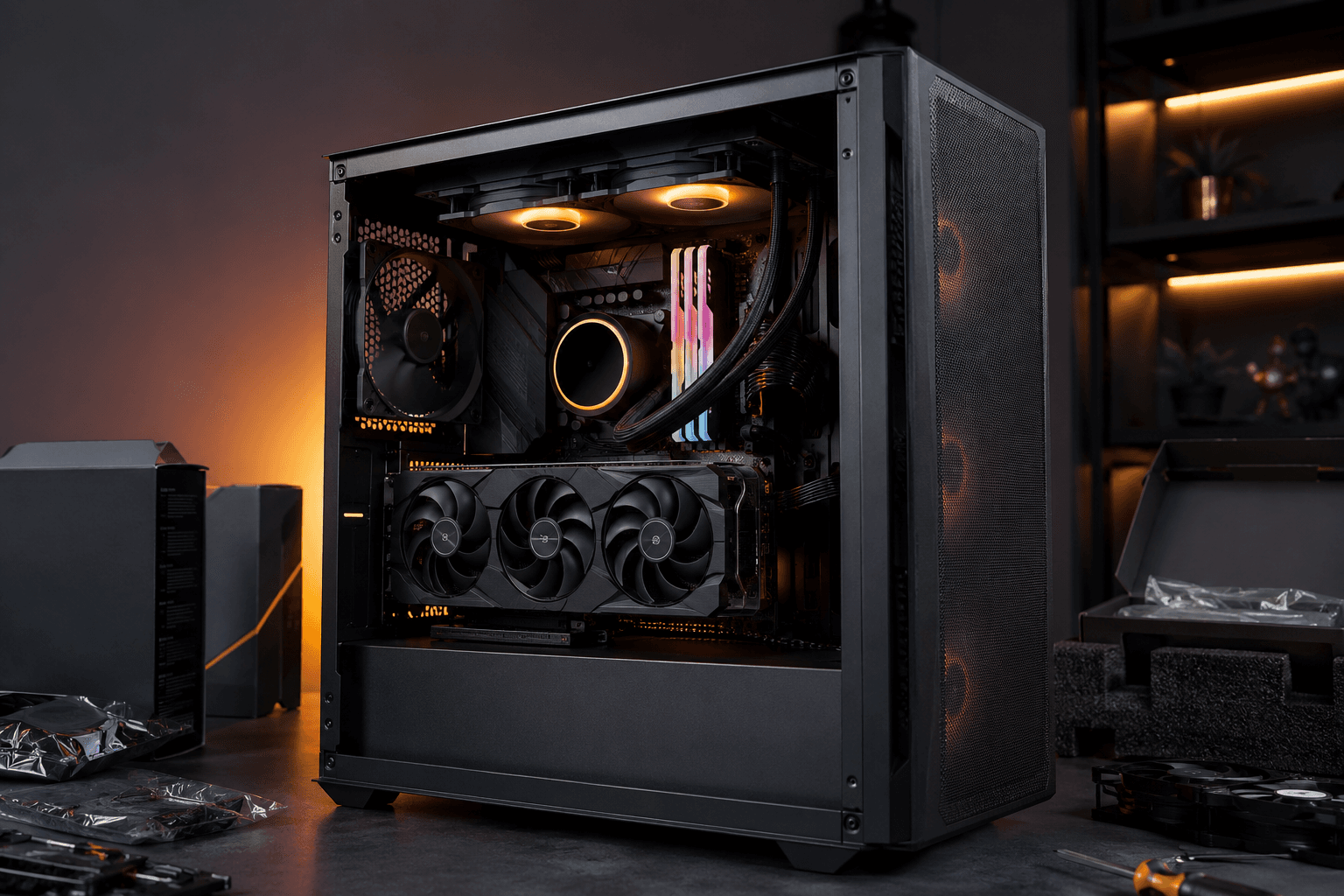
The Fractal Pop Air, Kolink Stronghold, or NZXT H5 Flow at the lower end. At £700 you can afford a case with proper airflow rather than a cheap box with minimal ventilation. With the RTX 5060 Ti generating up to 180W, airflow matters more than it does in the £500 build.
Total: approximately £645–710 depending on GPU choice and deal timing.
Hitting £700 is very achievable with the RX 9060 XT. The RTX 5060 Ti 16GB pushes to the top of that range or slightly over, depending on which AIB model and where you buy.
What This Build Actually Plays
At 1080p, the RTX 5060 Ti 16GB handles essentially everything at high-to-ultra settings with strong frame rates. More specifically:
✓ CS2, Valorant, Fortnite, Apex Legends — 200fps+ at 1080p on competitive settings is realistic. This is where the high refresh rate capabilities of the build are most obvious.
✓ Cyberpunk 2077, Black Myth: Wukong, Alan Wake 2 — 60–80fps native at 1080p ultra, 100fps+ with DLSS Quality. These are among the most demanding titles available and the RTX 5060 Ti handles them properly.
✓ Warzone, Battlefield series, Forza Horizon — 100fps+ at 1080p high settings consistently.
✓ 1440p gaming — achievable at medium-to-high settings in most titles. With DLSS Quality mode, many games run at 1440p at what looks like native quality with smooth frame rates. Without upscaling, you'll need to dial settings back in the most demanding games.
Where 1440p starts showing limits: ultra settings in the most demanding current AAA titles at native resolution, particularly games with heavy ray tracing enabled. DLSS Performance mode helps, but if 1440p ultra native is the goal, you're looking at the tier above this.
Should You Save More Instead?
This is the question the article title asks, so it deserves a direct answer.
If £700 is genuinely your ceiling, build at £700. It's a proper machine. But if you have flexibility, the £850–1,000 range is where value meaningfully improves. The RTX 5070 starts appearing in that tier, and it's a different GPU entirely — not a marginal step up.
The gap between a £700 build and a £900–1,000 build is proportionally larger than the gap between a £500 build and a £700 one. If you're going to push further, push to four figures. At £800 you're in a slightly awkward middle ground — not comfortably at the RTX 5060 Ti level and not at the next GPU tier either.
On the other hand: if you're coming from a console or an old PC, the jump to a £700 build will feel enormous regardless. Three-year-old GPUs from that era are nowhere near current cards. If the choice is building at £700 now versus waiting another six months to save more, building now often makes more sense — you start enjoying it sooner, and component prices aren't reliably dropping.
The Upgrade Path From Here
AM5 is the right platform to build on in 2026, and that decision pays off here. The Ryzen 5 9600X on a B650 board can accept Ryzen 7 9700X, Ryzen 9 9950X, and future AM5 CPUs. You're not locked into an end-of-life platform the way the AM4 build in the £500 guide is.
The upgrade order for this build:
✓ First: RAM to 32GB DDR5 — around £50–60 for another 2x8GB kit. The motherboard supports it, and 32GB is the comfortable standard for 2026 gaming with background apps running.
✓ Second: Storage — add a second NVMe drive — 2TB fills the gap as your game library grows. M.2 slots on B650 boards accommodate this without needing a SATA cable.
✓ Longer-term: GPU upgrade — the RTX 5060 Ti or RX 9060 XT will serve this build well for a couple of years. When the next GPU generation lands or if you move to a 1440p display, the AM5 platform will accept whatever comes next without any other changes.
For context on the CPU brand decision if you're still weighing platforms, it's worth checking the AMD vs Intel for gaming breakdown — the AM5 platform choice at £700 has real long-term reasoning behind it.
Common Mistakes at This Budget
Buying the RTX 5060 Ti 8GB instead of 16GB to save £80. The 8GB version is cheaper, but 16GB is the version worth having in 2026. Newer titles are pushing VRAM budgets hard at 1080p ultra settings, and buying 8GB now to save money means you're likely upgrading sooner than you'd otherwise need to. Pay the extra £80 once, or buy the RX 9060 XT 16GB if budget is the constraint — don't compromise on VRAM at this tier.
Overspending on the CPU. A Ryzen 7 9700X at this budget tier just shifts money away from the GPU, which matters far more for gaming performance. The Ryzen 5 9600X is not the bottleneck for any GPU in this price range.
Choosing X670 over B650 on the motherboard. X670 adds features — PCIe 5.0 across more slots, USB4, overclocking headroom — that don't benefit a build at this budget. B650 does the same job at roughly half the motherboard cost. That's money better spent on the GPU.
Not enabling XMP or EXPO in the BIOS. DDR5 ships at its base speed (typically 4800MHz) by default. On AM5, you want 6000MHz. It takes thirty seconds in the BIOS and makes a genuine difference. Skipping it is one of the most common avoidable mistakes we see in new builds.
Pairing this build with a 60Hz monitor. A machine that can push 100–200fps in esports titles and 80–100fps in AAA games is wasted on a 60Hz display. Budget for at least a 144Hz 1080p monitor alongside the build, or a 1440p 144Hz panel if 1440p gaming is the goal.
Frequently Asked Questions
Is a £700 gaming PC worth building in 2026?
Yes. At this budget you get an RTX 5060 Ti or RX 9060 XT with 16GB VRAM, an AM5 platform with genuine upgrade headroom, and a machine that handles 1080p gaming at high-to-ultra settings properly. It's a meaningful step up from the £500 tier in every way.
What GPU should I target at £700?
The RTX 5060 Ti 16GB at around £380–410, or the RX 9060 XT 16GB at around £315–325. The RTX 5060 Ti is the faster card and benefits from DLSS 4. The RX 9060 XT offers strong rasterisation performance and 16GB VRAM at a lower price, leaving more budget headroom for other components.
Can a £700 build handle 1440p?
Yes, with some caveats. At medium-to-high settings, or with DLSS/FSR upscaling enabled, 1440p gaming is achievable. Native ultra settings in the most demanding current titles at 1440p will show frame rate limits. If 1440p ultra native is your primary goal, the £900–1,000 tier is more appropriate.
Is AM5 worth it over AM4 at £700?
Yes. AM4 is a mature platform with no new CPU support coming. AM5 has a longer support roadmap, accepts current and upcoming Ryzen 9000 chips, and DDR5 is now priced reasonably enough that the platform cost premium is small. Building on AM4 at £700 in 2026 means you're already planning your next platform move.
Should I buy pre-built or self-build at £700?
Self-build almost always offers better value at this tier. Pre-built systems at £700 frequently compromise on the PSU or case to hit the price point, and the GPU selection is often a generation behind. Build yourself, or use a reputable custom builder who's transparent about component choices.
How long will a £700 build last?
At 1080p gaming, three to four years comfortably before the GPU becomes the obvious limiting factor. At 1440p, two to three years before you'll want more GPU. The AM5 CPU can be upgraded without changing the platform, which extends the effective lifespan of the build considerably.
Do I need 32GB of RAM at this budget?
16GB DDR5 dual-channel is the realistic launch spec at £700. Upgrading to 32GB is a simple and cheap follow-up upgrade — another dual-channel kit costs around £50–60 and slots straight in. It's more valuable than trying to squeeze 32GB into the launch build at the expense of GPU budget.
Closing Thought
£700 isn't the most exciting budget to write about, because the honest answer is a good one without much drama: it works, it's worth it, and the AM5 platform makes it a genuinely solid starting point rather than a dead end. The RTX 5060 Ti or RX 9060 XT with 16GB VRAM in 2026 is a capable GPU at this price, not a compromise.
The one thing worth being clear about: if you can push to £850–1,000, do. The next GPU tier represents better proportional value than the step from £500 to £700. But if £700 is the budget, build at £700 and upgrade in eighteen months when the GPU market looks different again. You'll be gaming on something solid in the meantime.