Can You Transfer a Windows Licence to a New PC?
The answer is yes and no, and which one applies to you depends on something you probably did not pay much attention to when you first got Windows: whether you have a retail licence or an OEM one. These two types of Windows licence have very different rules around transferability, and the difference matters a lot when you are upgrading to a new system.
Retail licences can be deactivated on one machine and reactivated on another. OEM licences are permanent. They tie to the first machine they activate on, specifically the motherboard, and they stay there. When that machine is gone, the licence is gone with it. This is not a bug or a technicality Microsoft is being cagey about. It is in the licence terms, and it applies every time.
How to Check Which Type of Licence You Have
Before doing anything, find out what you are actually working with. Open Command Prompt as administrator and run this:
slmgr /dli
A window will appear showing your licence type. If it says "RETAIL channel," your licence is transferable. If it says "OEM_DM" or "OEM channel," it is tied to the current hardware and cannot move.
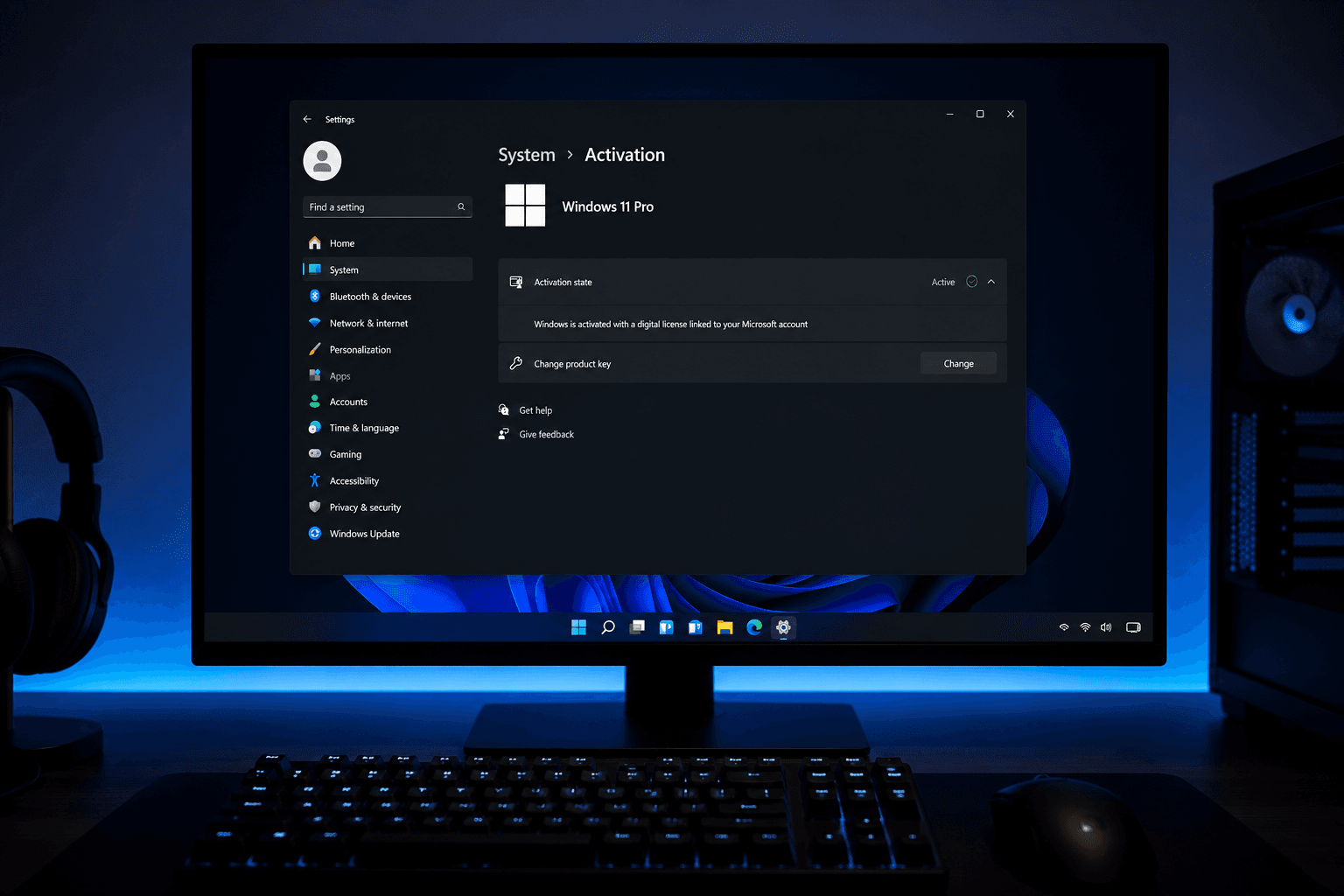
The other way to check is through the Settings app. Go to Settings, then System, then Activation. Under the Activation heading it will show the licence type. Retail usually shows as "Windows is activated with a digital licence linked to your Microsoft account." OEM typically shows activation without that Microsoft account link, or states it explicitly.
If your Windows came pre-installed on a system you bought rather than an OS you purchased separately, it is almost certainly OEM. That includes every major branded PC from Dell, HP, Lenovo, Acer, and similar. It also includes most prebuilt gaming PCs from specialist builders.
Transferring a Retail Licence: How It Actually Works
If you have confirmed you have a retail licence, the process of moving it to a new machine is straightforward but involves a specific sequence.
First, deactivate the licence on the current machine. Open Command Prompt as administrator and run:
slmgr /upk
This uninstalls the product key from the current machine. Then run:
slmgr /cpky
This clears the key from the registry. The machine is now deactivated. You can also do this through the Settings app under Activation if you prefer a visual interface over command line.
Second, install Windows on the new machine and enter your product key during setup or through the Activation settings once Windows is running. The licence activates on the new hardware and is linked to that system going forward.
One thing worth knowing: if your retail licence is linked to a Microsoft account (which it usually is on modern Windows installs), the transfer process can sometimes be done entirely through Microsoft's activation troubleshooter rather than command line. When you try to activate on a new machine and it asks whether you recently changed hardware, confirm that you did. The troubleshooter sometimes allows reactivation without manual deactivation of the old machine first.
OEM Licences: What Your Options Are
If you have an OEM licence and you want to move to a new machine, you have a few realistic options, none of which involve legally transferring the existing licence.
Buy a new OEM licence for the new build. This is the most straightforward option and the one I recommend to most people. OEM System Builder keys from UK retailers like Scan, Overclockers, and Ebuyer cost £20 to £35. You are not carrying anything over. You are just starting fresh with a legitimate key on the new hardware. Given the cost of a new PC build, another £25 on Windows is not a meaningful financial burden.
Use your Microsoft account if the old licence was linked to it. This is a grey area. If your OEM Windows was activated and linked to a Microsoft account, Microsoft's activation servers sometimes allow reactivation on new hardware when you go through the troubleshooter and confirm you changed your hardware. This is not guaranteed and it varies by case. It is not a supported transfer in Microsoft's terms, but it does work for some users, particularly those who have purchased a retail licence previously and switched to OEM, or whose account has a mix of licence history. It is worth trying before buying a new key.
Windows 11 digital licence linked to Microsoft account. On newer installations where you linked your Microsoft account during setup, your activation state is partially stored server-side. Going through Settings, then Activation, then Troubleshoot lets you verify your licence against your Microsoft account. If the system recognises your account as having an eligible licence, it can reactivate without a key. This does not always work for OEM licences but is worth attempting.
The Motherboard Is the Sticking Point
Every conversation about Windows licence transfers eventually comes back to the motherboard. OEM licences bind to it. Retail licences technically bind to the hardware but the binding is soft enough that Microsoft's activation process accepts a hardware change when you go through the right steps.
When you do a major upgrade that includes a new motherboard, Windows treats it as a new machine. That is the point at which a retail licence transfer is a clear legal and practical option, and at which an OEM licence genuinely reaches its end of life.
This is worth factoring into platform upgrade decisions. If you are moving from an AMD AM4 system to an AM5 system, you need a new board. If you are moving from an Intel 12th/13th gen system to a 14th gen or Arrow Lake system on a different socket, same story. The Windows cost is not usually the deciding factor in those decisions, but it is part of the total upgrade cost and worth accounting for before you start buying parts. Our piece on ATX motherboard options covers the form factor decisions that affect which boards fit your case, which is relevant context if you are mid-planning a platform change that will also require a new Windows licence.
When It Is Not Worth Trying to Transfer
Some situations where attempting a transfer is more trouble than it is worth:
The original system no longer boots. If the machine the licence is on has failed and you cannot deactivate through the normal process, Microsoft's phone activation line can sometimes help. It is a tedious process involving reading out a long installation ID and receiving an activation code. It works occasionally, but given that a new OEM key costs £25, the value of the time spent arguing with automated phone activation systems is questionable.
The licence was tied to a machine that was sold or disposed of. If you gave away or sold the old PC with Windows on it, that OEM licence went with it. The buyer is using it. You need a new licence for your new build. This is also the correct and legal outcome. The new owner of the machine is entitled to use the pre-installed OEM licence. You are not entitled to keep a copy of it.
The new build is a significantly different platform. If you are going from AMD to Intel or vice versa, the platform change context matters more than the licence type in terms of planning what you spend. Our comparison of Intel vs AMD for gaming covers where each platform sits in 2026, which is worth reading if a platform change is part of what is driving the new build decision.
What Happens If You Do Not Transfer or Buy a New Licence
Windows without a valid licence runs with some limitations but is not entirely blocked. The main effects are a persistent watermark in the bottom-right corner of the screen saying Windows is not activated, the personalisation settings being locked (you cannot change the wallpaper, accent colours, or lock screen through Settings), and occasional notifications prompting you to activate.
The OS still functions. Gaming performance is not affected. Applications run normally. Security updates continue. It is not a crippled experience in terms of actual use. Many people run unlicensed Windows knowingly for extended periods, particularly during a build where they are still deciding on the final configuration.
That said, running unlicensed is a choice with minor ongoing annoyances and a legitimate cost you are deferring rather than avoiding. At £25 for a legitimate OEM key, there is no strong reason to stay in that state once the build is finalised.
Retail or OEM on the Next Build: Making the Right Choice Upfront
If you are building a new system and are already thinking about whether you will want to transfer the licence again in the future, the decision is actually simple. Think about how often you change motherboards. Most people doing a gaming PC build keep the same platform for three to four years at minimum. When they do upgrade, they typically change the motherboard as part of a CPU platform move. In that scenario, the licence tied to the old board is irrelevant because the new board needs a new licence anyway.
The only situation where retail genuinely pays off is if you do multiple complete rebuilds within a short period, keeping your Windows licence across each one, and the total saved on licence costs across those builds exceeds the upfront retail premium of roughly £90 over OEM. That is three or four complete platform changes, each within the licence's eligible life, before the maths favours retail. Most people never reach that threshold.
If you are building fresh and want to understand the full cost picture including OS, hardware, and software, our breakdown of gaming PC costs in 2026 covers where the money actually goes across a complete build, which helps frame where the Windows licence cost sits relative to everything else. And if you are still sorting out the difference between OEM and retail before deciding which to buy, our explainer on Windows OEM vs retail covers the licence types and their restrictions in more detail.
Frequently Asked Questions
Can you transfer a Windows 11 licence to a new PC?
If it is a retail licence, yes. Deactivate on the old machine using Command Prompt or Settings, then activate on the new one. If it is an OEM licence, no. OEM licences are tied permanently to the original hardware.
How do I know if my Windows licence is OEM or retail?
Run slmgr /dli in Command Prompt as administrator. The output shows the licence channel. "RETAIL" means transferable. "OEM_DM" or "OEM" means tied to the hardware.
What happens to my Windows licence when I change motherboards?
A retail licence can be reactivated on the new board through the activation troubleshooter. An OEM licence is tied to the old board and stays there. You need a new licence for the new board.
Can I use the same Windows key on two computers?
No. A Windows licence is for one machine at a time. Even retail licences require deactivation on the old machine before activating on a new one.
How do I deactivate Windows on my old PC before transferring?
Open Command Prompt as administrator and run slmgr /upk to uninstall the product key, then slmgr /cpky to clear it from the registry. Alternatively use Settings, then System, then Activation.
What if my old PC is broken and I cannot deactivate it?
Try Microsoft's activation troubleshooter on the new machine and confirm you changed your hardware. If that fails, contact Microsoft support via their phone activation line. Be prepared for a slow process. Buying a new OEM key for £25 is usually faster and less frustrating.
Does reinstalling Windows on the same PC require a new licence?
No. If you are reinstalling on the same hardware with the same motherboard, Windows should reactivate automatically. For digital licences linked to a Microsoft account, sign in during setup and the licence is applied. For OEM licences embedded in the motherboard firmware, activation is automatic on reinstall.
Final Thought
The answer most people are actually looking for is: retail licences move, OEM licences do not. Check which you have before assuming you can carry it across. If you have OEM and you are building new, budget £25 for a fresh legitimate key and move on. It is genuinely not worth the time spent trying to work around a £25 cost, and the legal path is easier than most people assume when they start investigating the transfer process for the first time.